Guide
Play a quiz in Hacker mode
Hacker mode turns any set into a race that the whole room plays at once. Nobody waits for the next question: each student answers at their own speed, and every right answer opens a vault that pays crypto, multiplies it, or lets them hack a classmate’s password and take a share of theirs. The questions come round again until the time is up, so a set of ten keeps a class busy for as long as you choose. This guide follows one game from the settings to the report, on the room screen and on a player’s phone.
13 steps · about 5 min · written for a computer
Step 1: Choose Hacker in Game settings
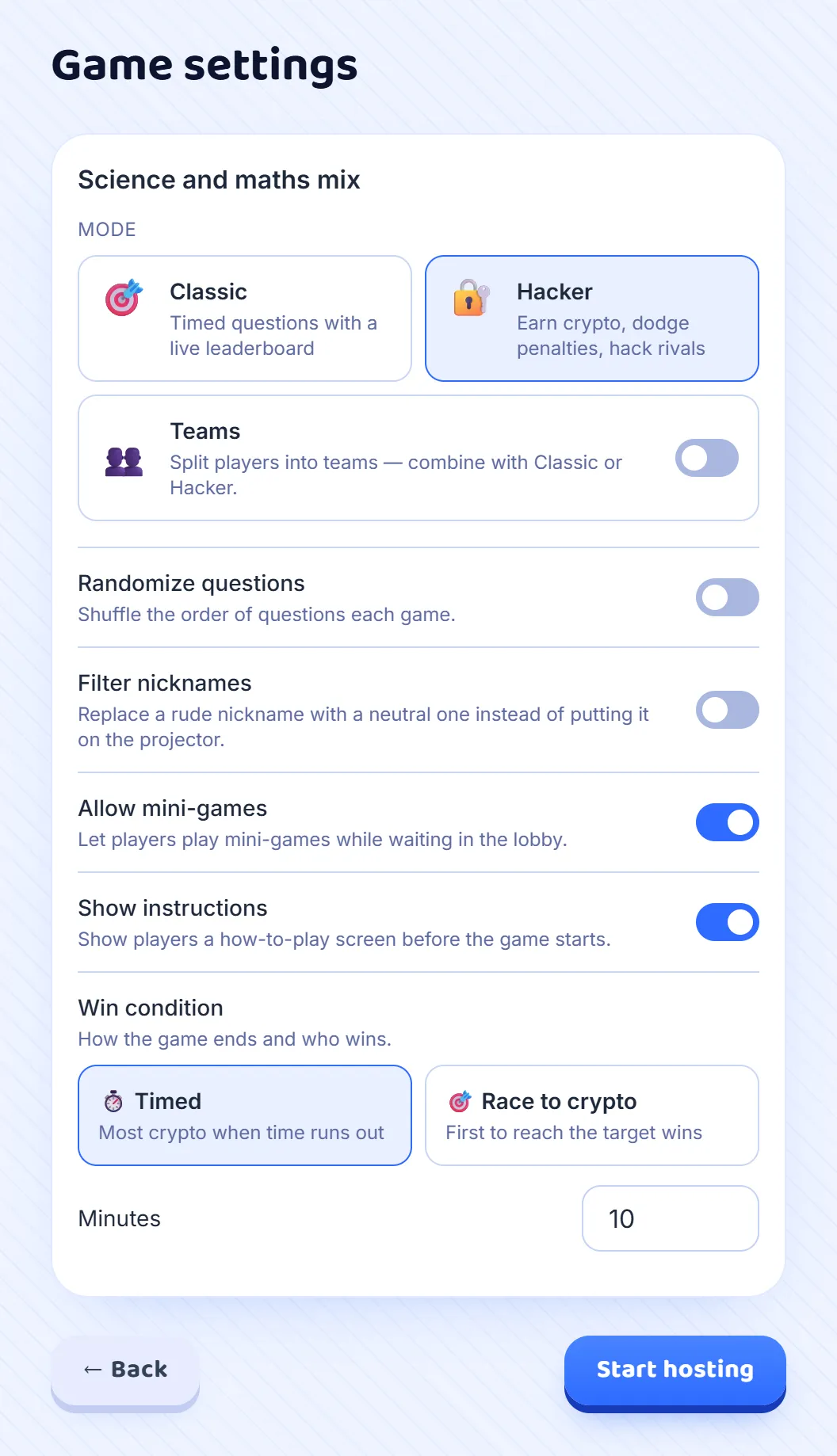
Press Host on a set, and in Game settings choose Hacker instead of Classic. Its own options appear underneath. Timed ends the game when the clock runs out, and the most crypto wins; set the minutes, from 1 to 60, with 10 to begin with. Race to crypto ends it the moment one player reaches the target you set. Leave Show instructions on for a class that has not played before: their phones explain the game before it starts.
Step 2: Open the room
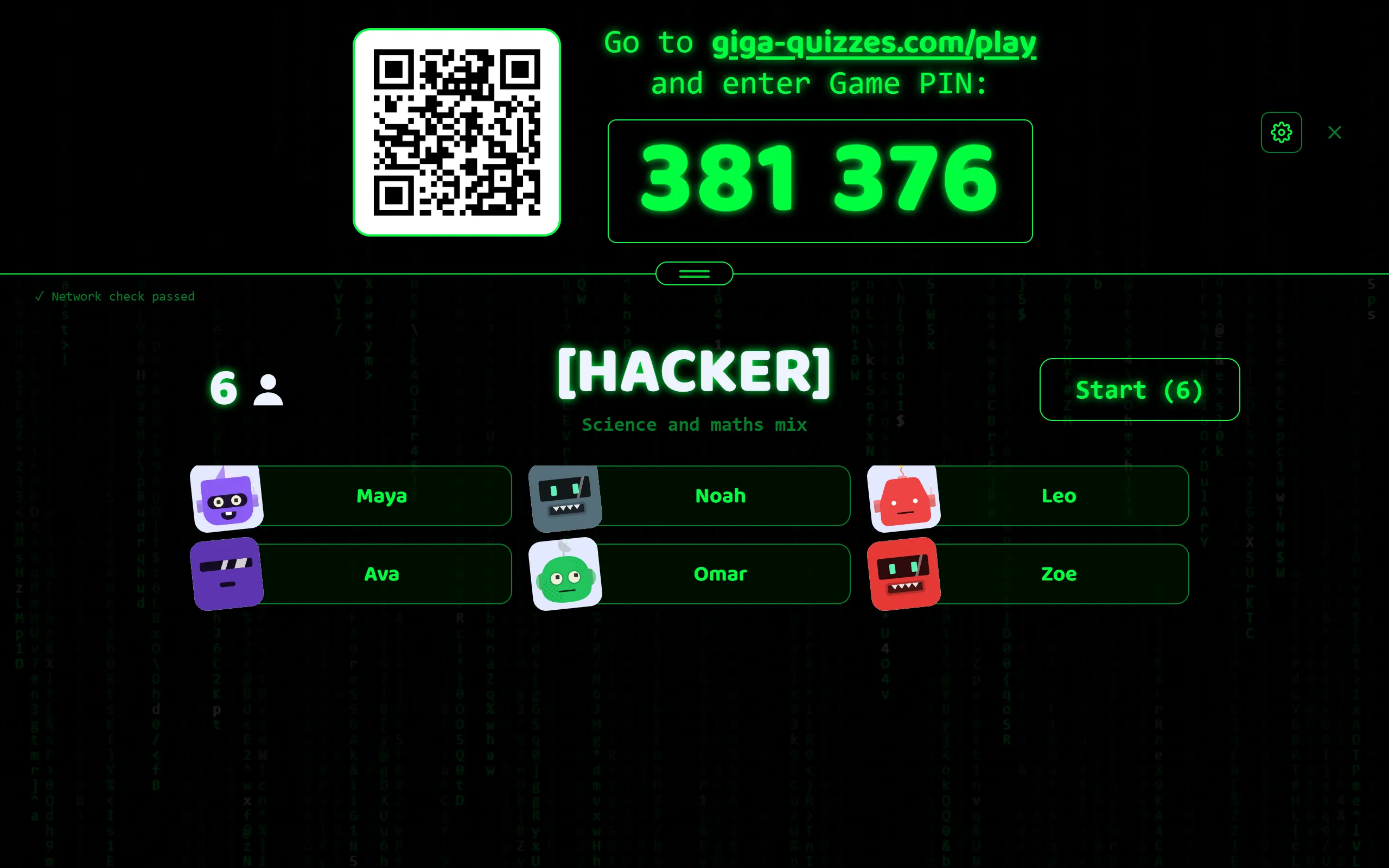
Press Start hosting and the lobby appears, the same one as in a Classic game: the room code, the QR code and the join address, with each player’s name and robot arriving as they come in. When everyone is in, press Start.
Step 3: Players read how to play
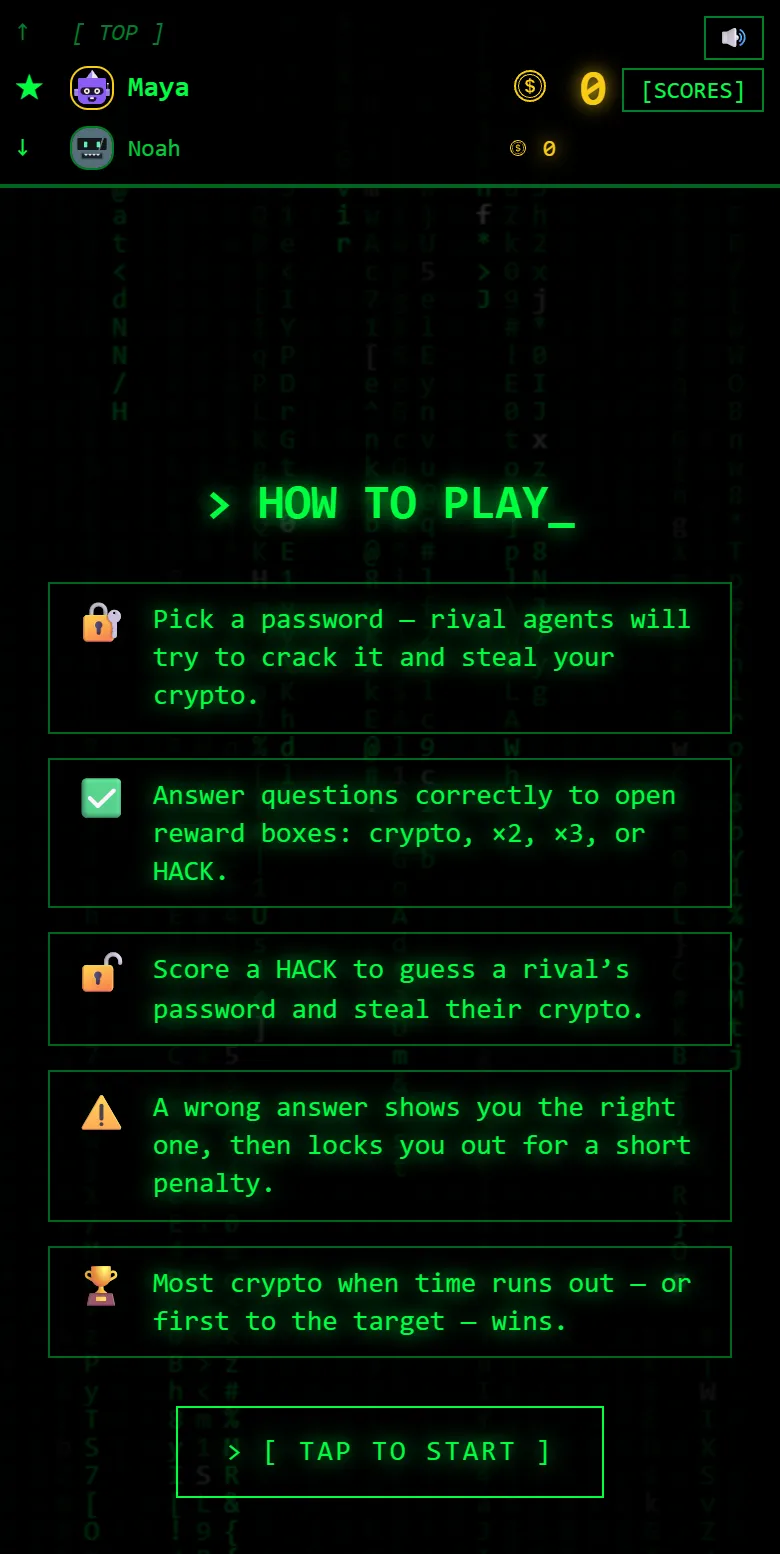
With Show instructions on, every phone opens on How to play: pick a password, answer to open reward boxes, use a HACK to guess a rival’s password, a wrong answer locks you out for a moment, and the most crypto (or the first to the target) wins. The button unlocks after five seconds, so nobody skips it without a glance, and the phone moves on by itself after a minute.
Step 4: Each player picks a password
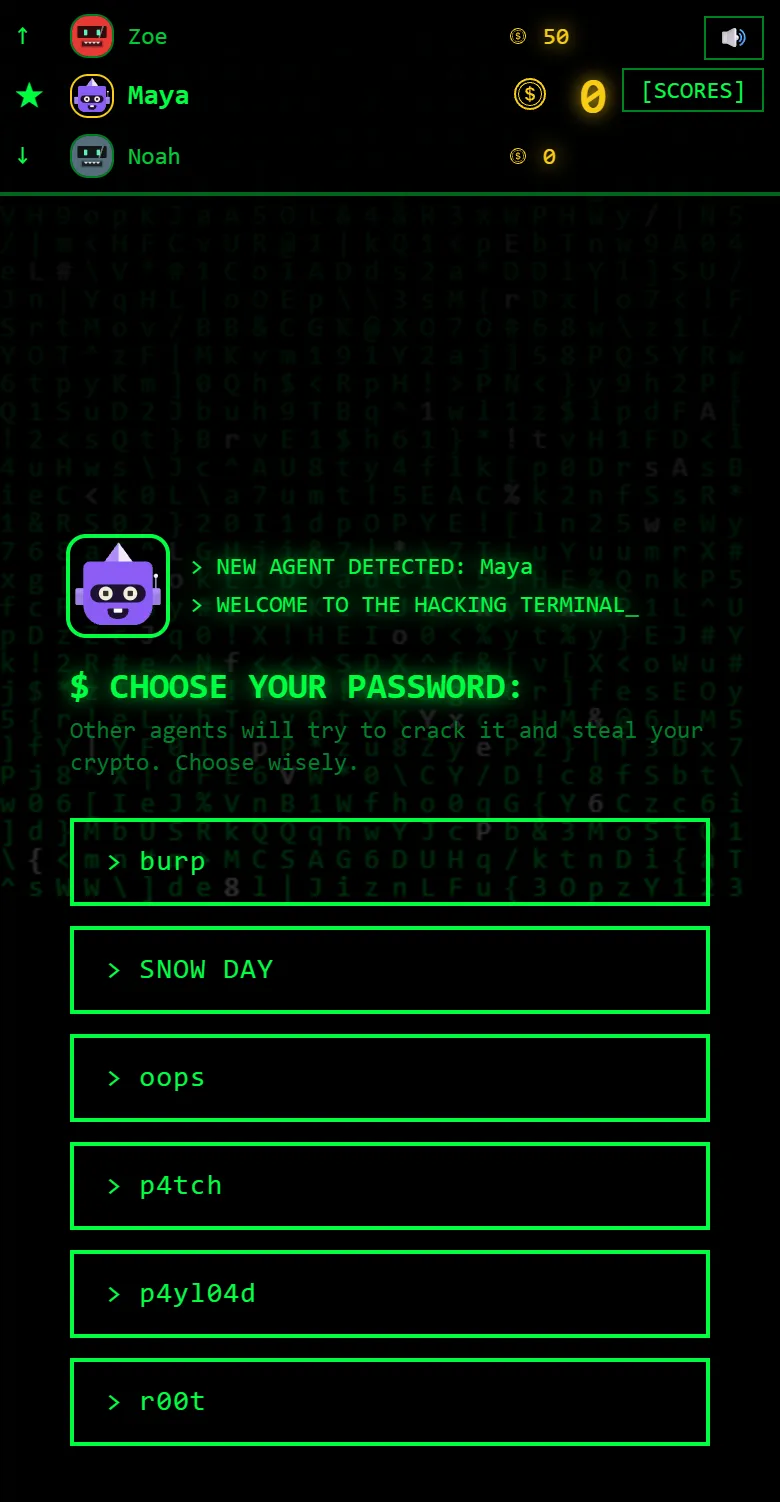
Next, each player chooses one of six passwords, such as r00t or gl1tch. It is what a classmate has to guess to hack them, so there is no right choice, only one that others will not expect. A player who opens a New password vault later in the game picks again.
Step 5: Answer at your own pace
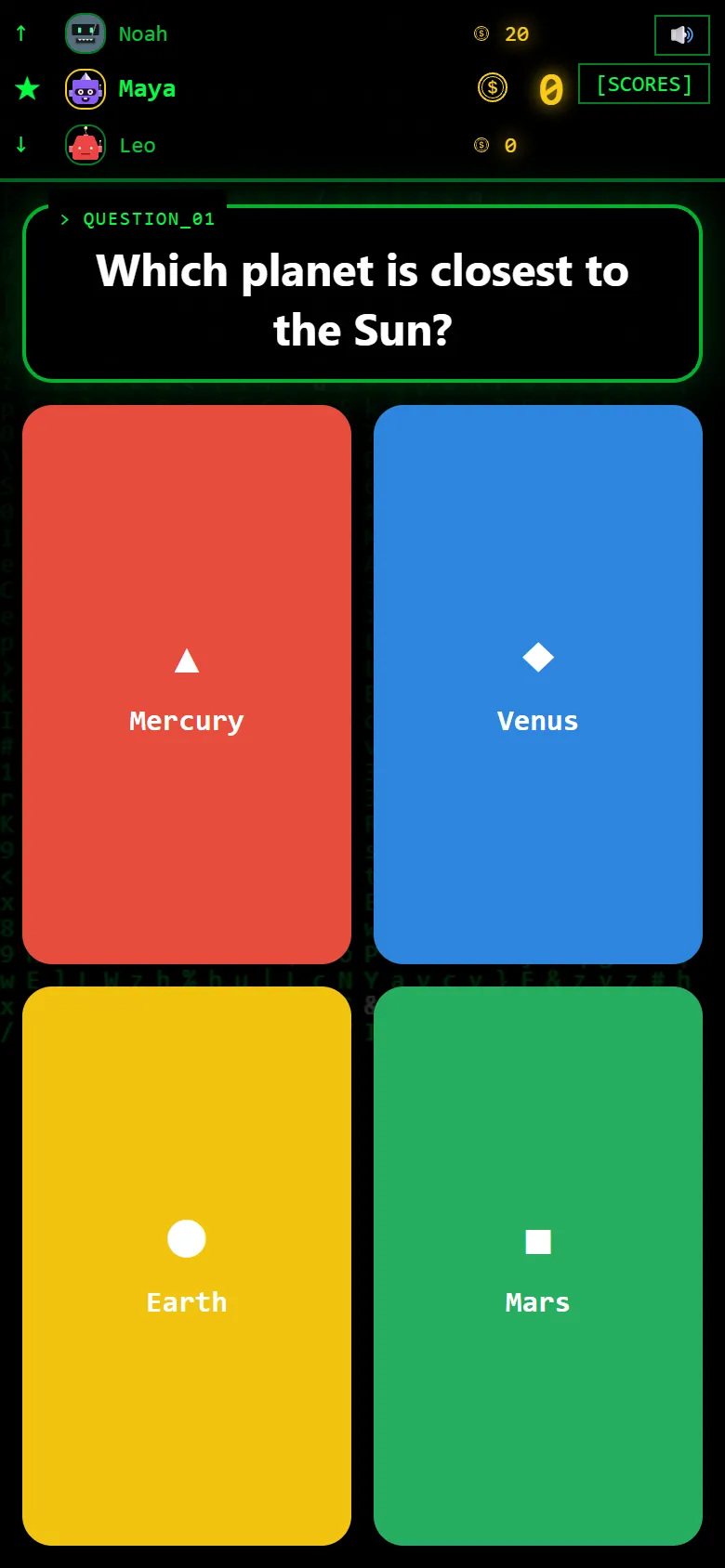
Then the questions start, on the phone itself: the question, any picture, and the answers in the usual colours. Each player moves on as soon as they answer, so a quick reader and a careful one both stay busy, and when they reach the end of the set it starts again from the top.
Step 6: A wrong answer costs three seconds
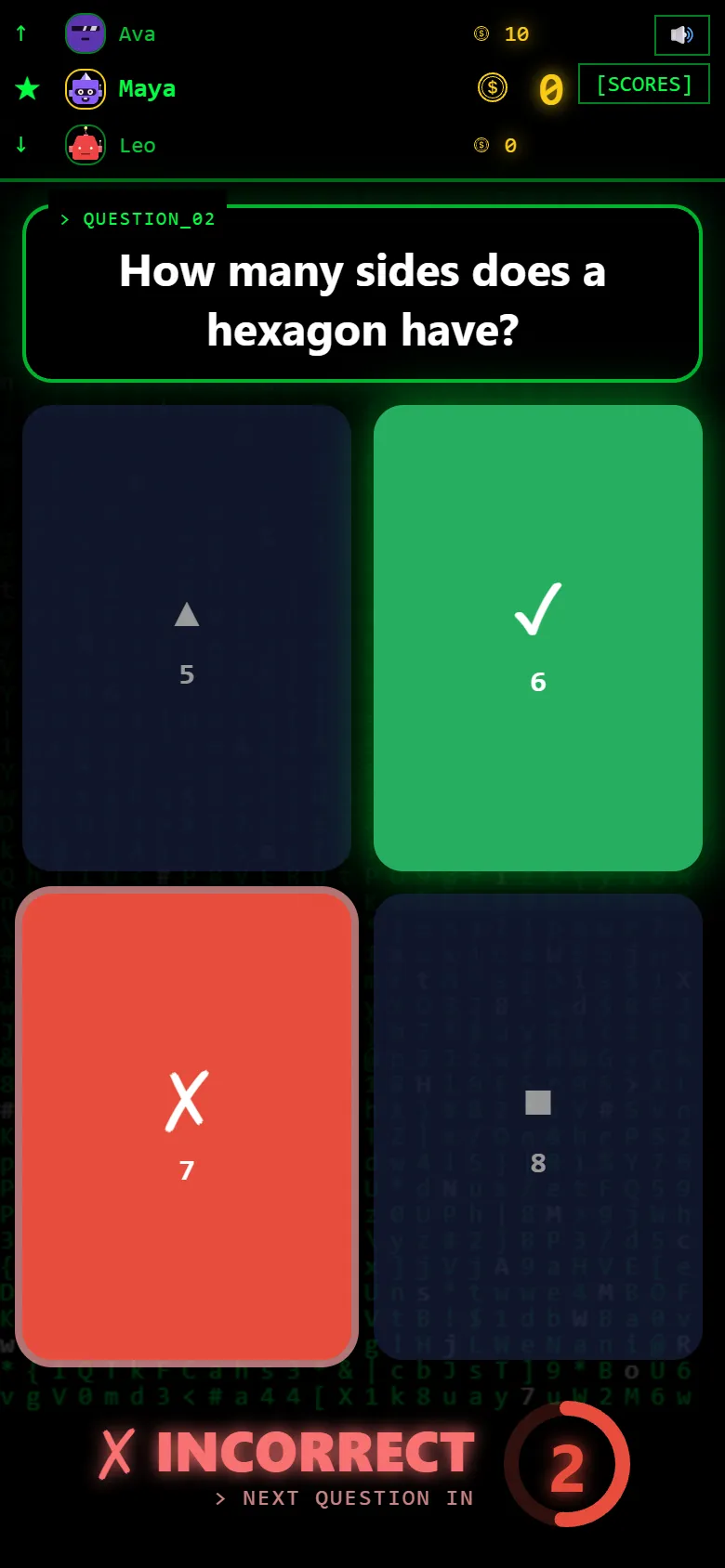
A wrong answer earns nothing. The phone shows INCORRECT and marks the right answer, so the player leaves knowing it, and a ring counts down three seconds before the next question: long enough to make guessing slower than thinking.
Step 7: Open a vault
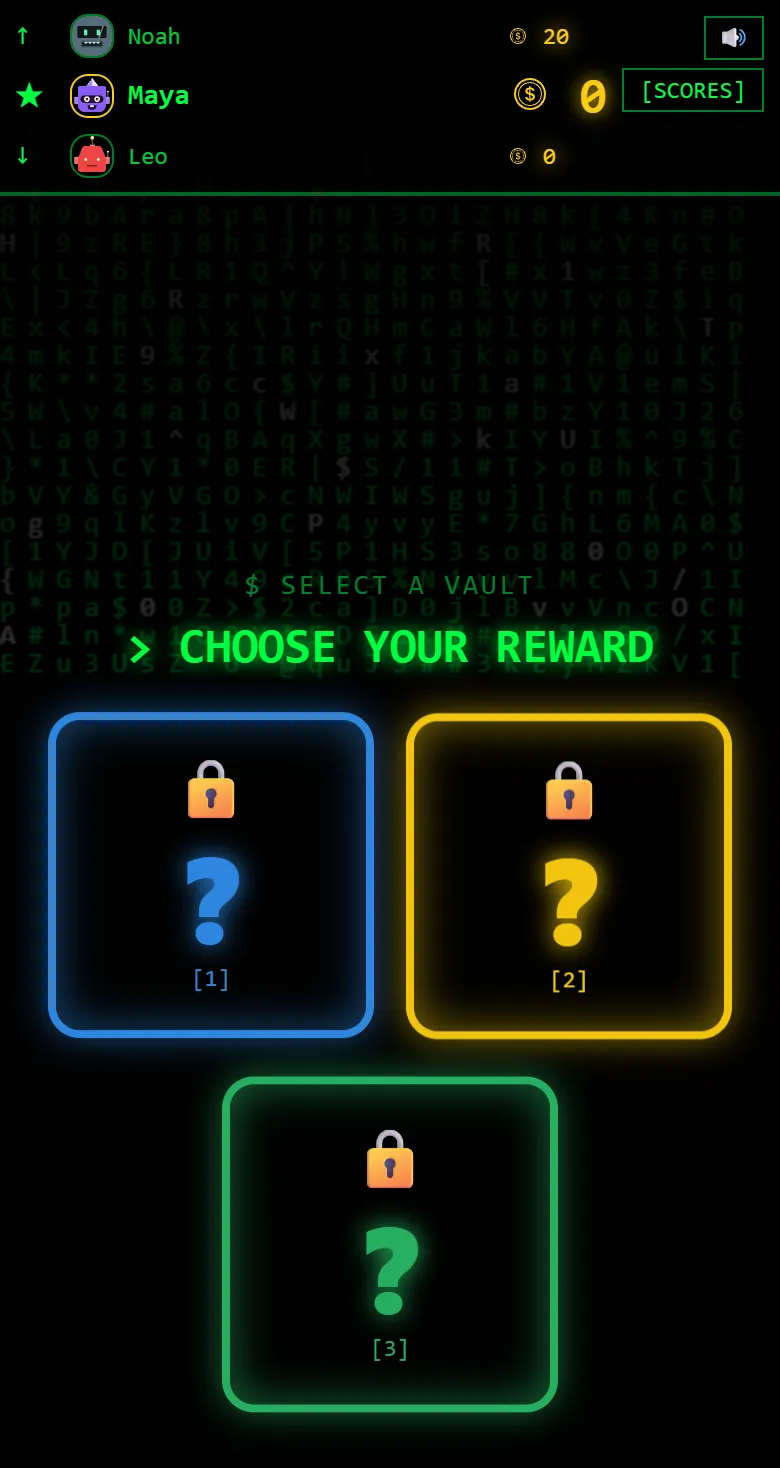
A right answer opens Choose your reward: three closed vaults, and nobody can tell what is inside until they pick. Most pay crypto, from 10 to 50. Some double or triple what the player has, which is where the big jumps come from. A few are empty, a rare one is a new password, and some say HACK.
Step 8: Hack a classmate
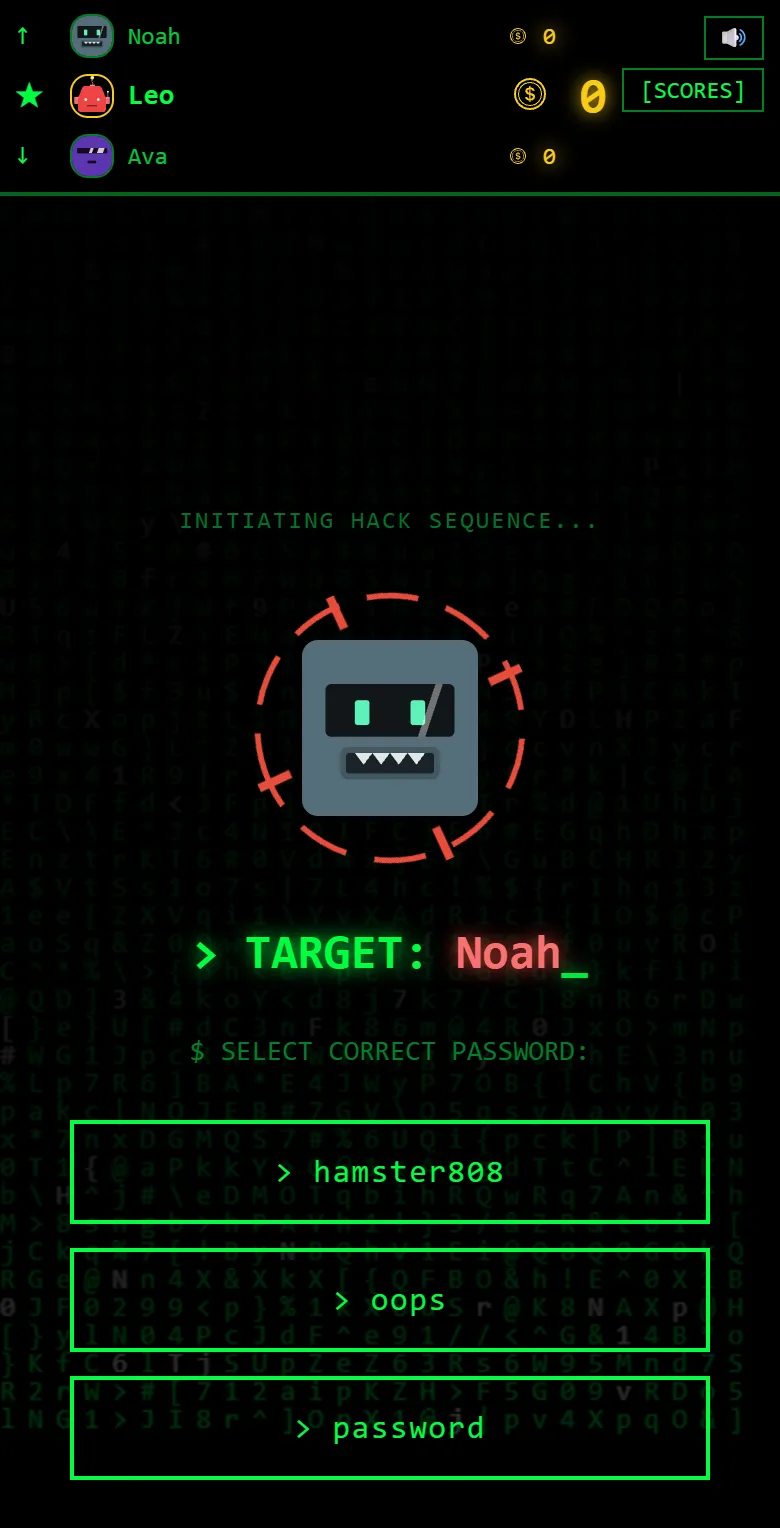
A HACK vault names a target, chosen at random from the other players, and shows three passwords. One of them is theirs. Guess right and the hack takes between 16% and 30% of the target’s crypto; guess wrong and nothing changes. Either way the next question follows straight after.
Step 9: When someone hacks you
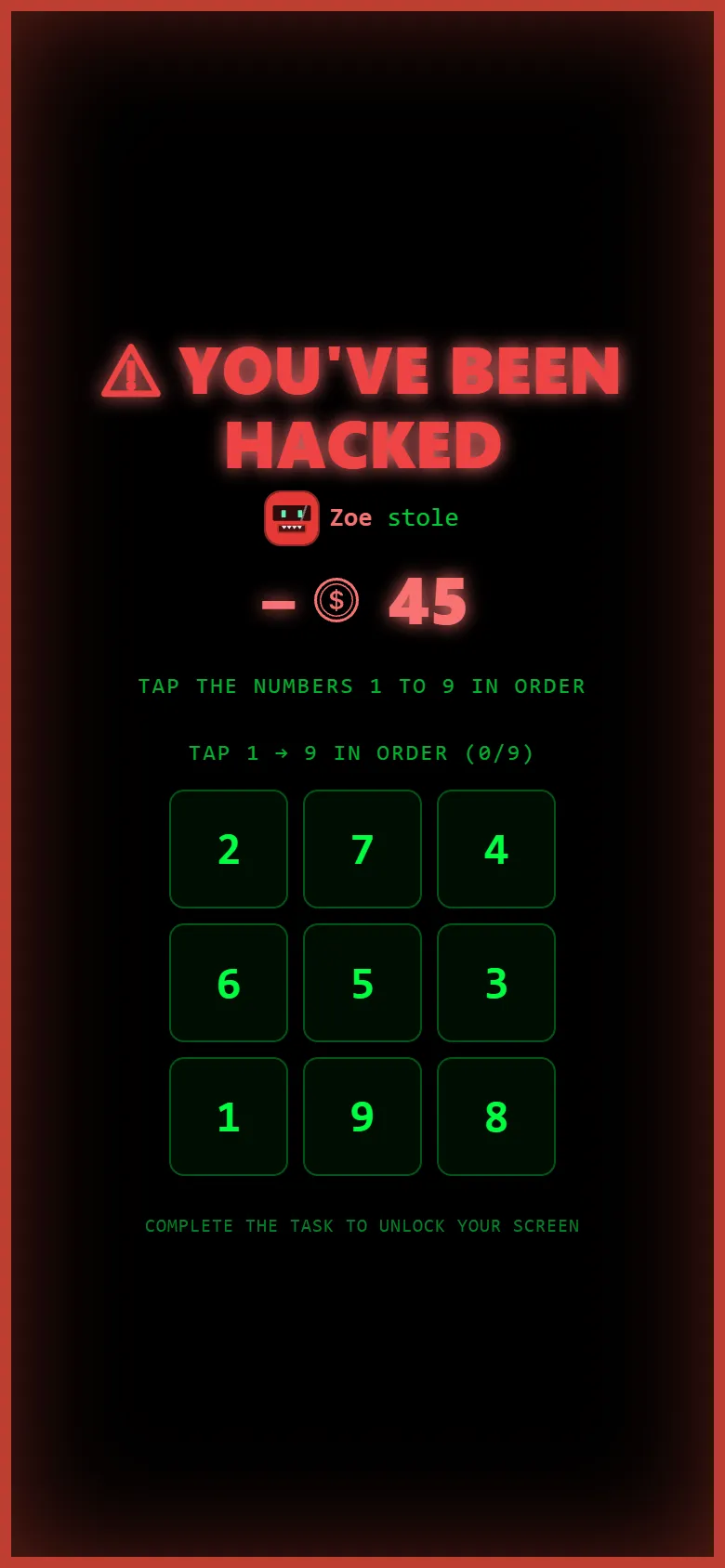
The player who was hacked sees You’ve been hacked, with the name of the classmate who did it and how much they took. Before they can answer again, they complete a short task: matching pairs, repeating a sequence, or tapping the numbers 1 to 9 in order. If a second hack lands meanwhile, it joins the same screen.
Step 10: The room screen during the game
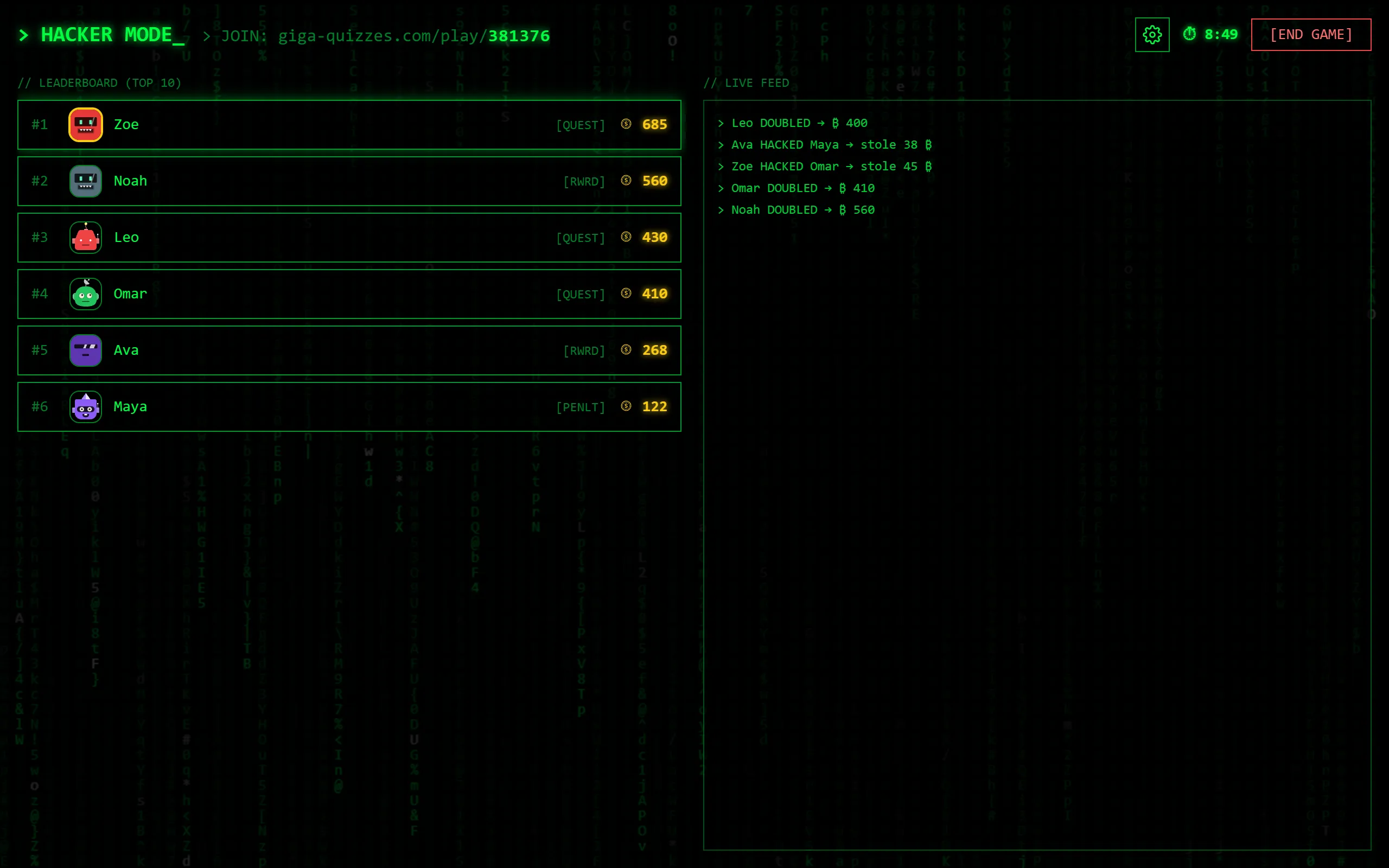
While the students play, the screen at the front shows the race: every player with their crypto, ranked, and a tag for what they are doing at that moment, such as answering a question or opening a vault. The live feed lists the hacks and the doubles as they happen, the clock counts down in the corner (or the target is shown, in a race), and the join address stays at the top. To stop early, press END GAME and confirm.
Step 11: Game over
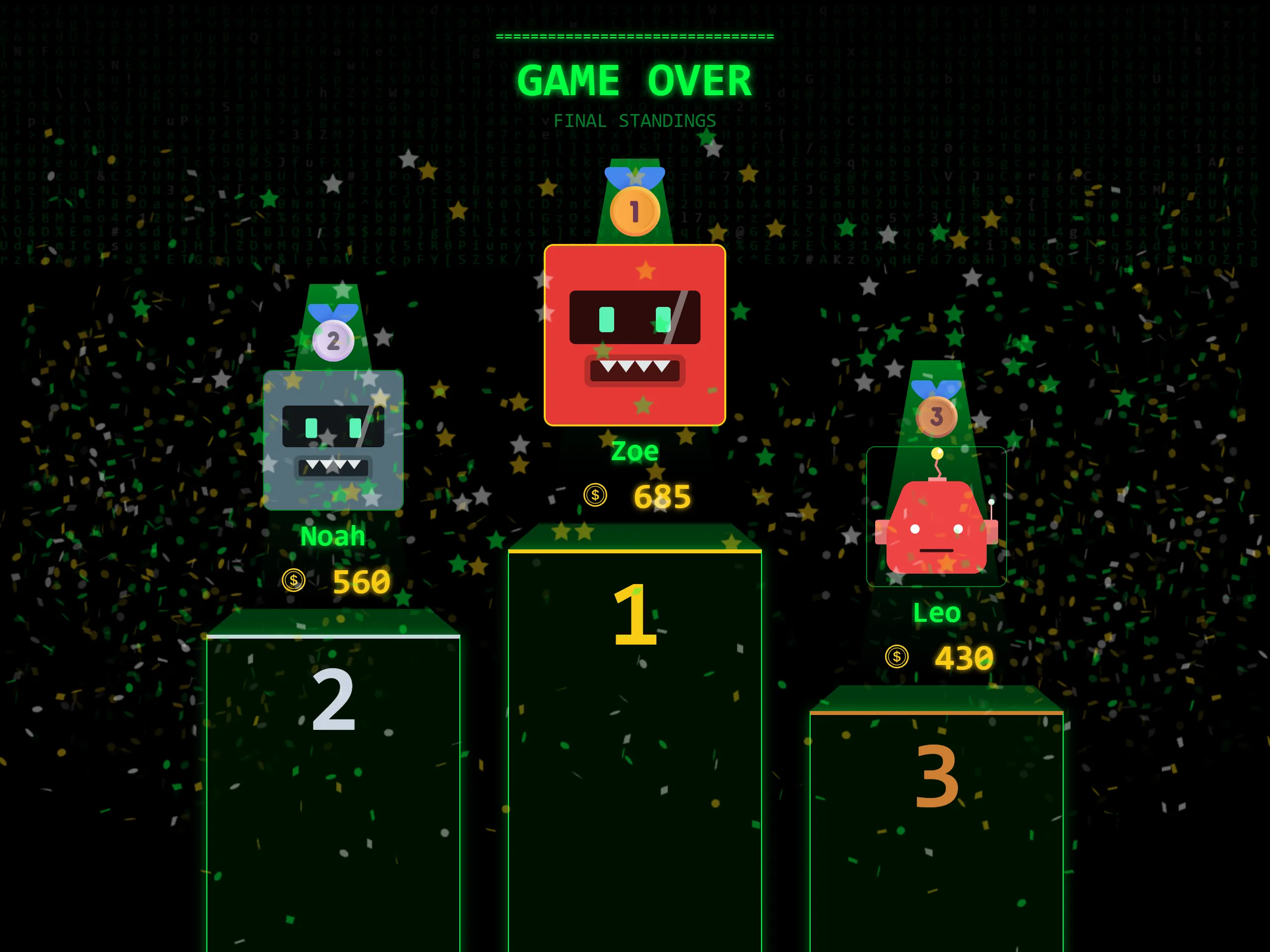
When the clock runs out, someone reaches the target, or you end the game, every phone and the room screen go to Game over. The podium shows third, then second, then the winner, with their crypto. Each player’s phone shows their own total, with how many questions they answered and how many were right.
Step 12: Read the standings
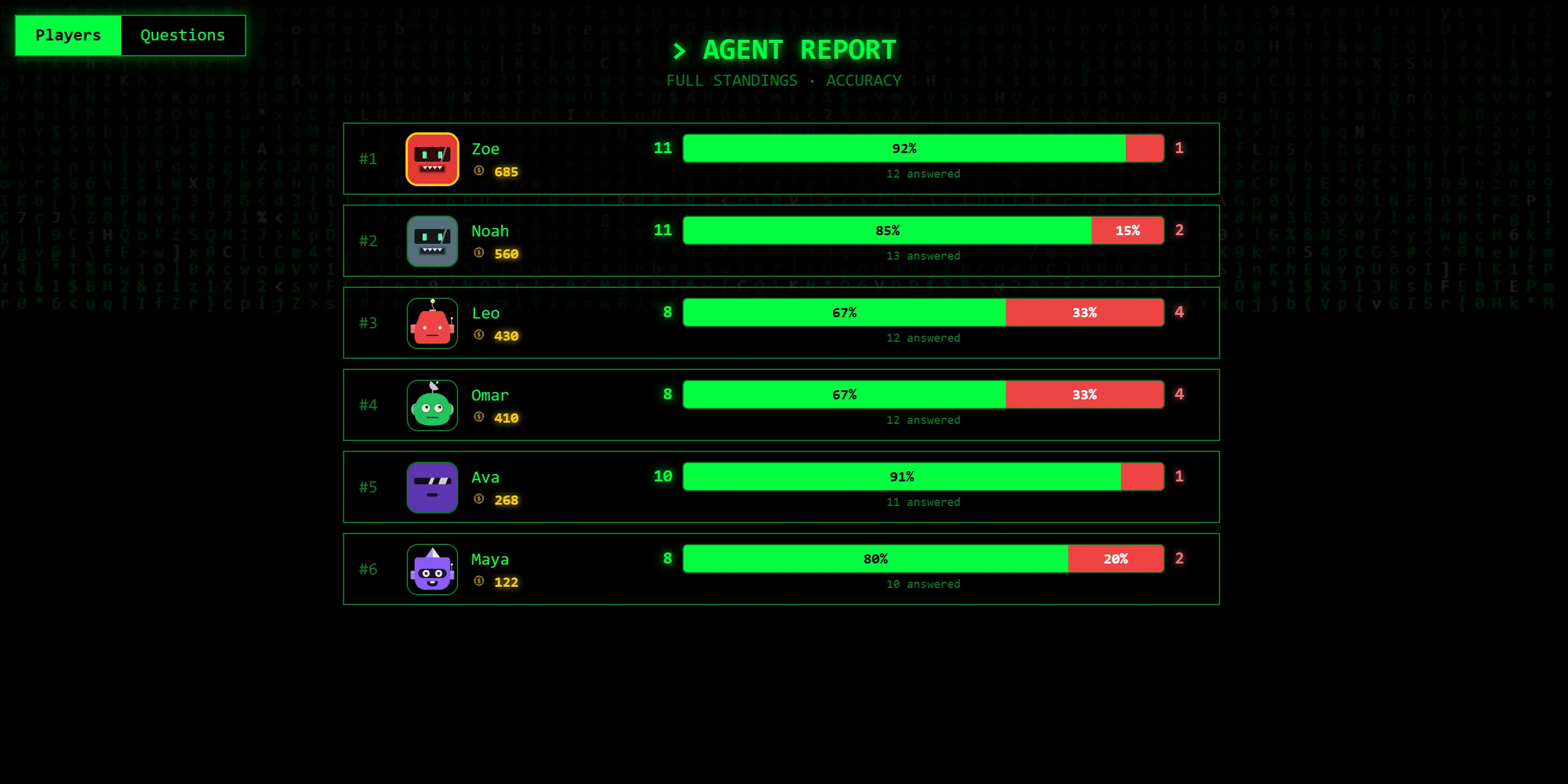
Press SKIP under the podium for the full standings: every player with their crypto, how many questions they answered and how many of them were right. The Questions tab turns it round: how often each question was answered right across the whole room, which shows at a glance what the class has not yet understood.
Step 13: The report afterwards
If you are signed in, the game is saved in Reports when it ends. Each student’s row leads with the share of their answers that were right, with their crypto beside it, and By accuracy puts the list in that order, since crypto also depends on the vaults. Pick a student to see every question: the first answer they gave, what they knew before the game had told them anything, and, when the question came round again, how many times they answered it and how many of those were right. The Questions tab shows how often each question was answered right across the room.

Good to know
- Any set works, and every question type in it is asked the same way as in a Classic game. A short set of ten to fifteen questions plays well, because the questions come round again.
- The room code stays at the top of the screen for the whole game, so a student who arrives late can still join. They start with no crypto.
- Hacker mode also works with Teams: switch Teams on in the same settings, and each team’s crypto is added up.
- Only a right answer opens a vault, so the students who know the most get the most chances at crypto and at hacking.