How do I create my first quiz?
Build and host a quiz, start to finish
A walkthrough that follows you through the real screens — it waits while you work and moves on once you have done each part.
8 steps · about 4 min
Read more →Giga Quizzes· free live quiz game
Giga Quizzes is a free, Kahoot-style live quiz game. Put a quiz on the big screen and everyone plays from their own phone with a room code — no app to install, no signup for players.
Looking for a Kahoot alternative? See how we compare →Write your own questions, let AI draft them for you, or import a PDF — Blooket exports included.
Open the quiz on a projector, a TV or a shared screen. A room code and a QR code appear for everyone to join.
Players answer on their phones. Scores update after every question, all the way to the podium.
Up to 500 players in one game, each on an encrypted connection to the host's screen. Our largest so far had 497 people in the room — 481 of them playing at the same moment.
Mix them freely in one quiz — from a quick true/false warm-up to a hotspot on a map or a slider on a number line.
What each one does →The game show everyone knows: the question on the big screen, answers on the phones, a live leaderboard after every round and a podium at the end.
Right answers earn crypto. Spend it hacking other players to take theirs — play against the clock, or race to a crypto target.
Teams work with either mode — up to 6 teams, assigned automatically or picked by the players.
Warm-ups, reviews and end-of-unit checks. Groups keep a class together, with homework and points that build up over time.
A room code on the projector and the whole hall is in — up to 500 people, nothing to install.
Icebreakers, training recaps and trivia nights. Start from a ready-made quiz in Discover, or write your own.
Give it a topic and get up to 30 questions, ready to edit.
Bring questions in from a PDF, Blooket question-set exports included.
Every game leaves a report: accuracy, rankings, and a breakdown per question and per answer.
A public library of ready-made quizzes to play as they are or copy and edit.
Uncover a picture tile by tile — 3×3, 5×5 or 8×8, at the speed you choose.
Players dress up an avatar and take each other on at Tic-Tac-Toe while they wait.
Share a quiz with another account, export it to PDF, or play it solo.
Switch the whole site to another language with one click — Hebrew and Arabic included.
Step-by-step guides, with pictures of the real screens.
See all 16 guides →A walkthrough that follows you through the real screens — it waits while you work and moves on once you have done each part.
From a set in your Library to a room code on the big screen, then the questions, the leaderboard and the podium.
A room code and a nickname, and you are in: no account and no app. Every screen a player sees, from joining to the final results.
Eleven kinds of question and an information slide: what each one asks, how players answer it and how it is scored.
Split the room into two to six teams, let players pick their own or share them out evenly, and finish on a team podium.
Invite a class with a code or a link, host games that count for the group, set homework with a deadline, and follow the leaderboards.
Practical posts for teachers: writing fair questions, a quiz for each subject and season, and quiz nights at home.
 Writing quizzes5 Common Quiz-Writing Mistakes, and How to Fix ThemToo little time, wrong answers nobody picks, questions longer than their timer, trick wording and a silent reveal: five quiz-writing mistakes, with before-and-after fixes.5 min readRead →
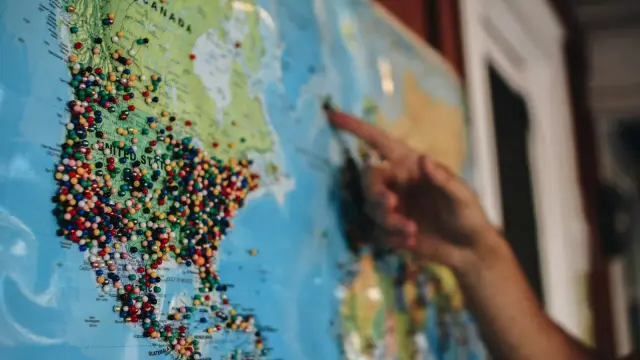 By subjectTeaching Geography with MapsGeography is about where things are, so ask students to point. Map questions where they tap the place, what a wrong tap tells you, and question ideas that go beyond “where is it?”.4 min readRead →
 Day to dayFriday Afternoon: Start the Lesson with a QuizFriday afternoon is the hardest slot of the week. Open with a short, lively quiz instead of saving the fun for the end. A five-minute formula, and rounds to borrow.4 min readRead →
Free, with no trial and no card. Build a quiz, or start from a ready-made one in Discover.