Guide
Play a quiz in Last Bot Standing
Last Bot Standing turns any set into a tournament of one-on-one battles. Every round pairs the robots that still have power, and both robots in a pair get the same question at the same moment. Right beats wrong, and when both are right, the faster answer wins: the loser’s battery loses a cell. A robot out of power keeps answering, and the last robot with power left wins. Unlike Hacker or Pirate Plunder, the whole room moves together, one question at a time, as in Classic, so it suits a lesson where everyone should see the same question. This guide follows one game from the settings to the report.
17 steps · about 5 min · written for a computer
Step 1: Choose Last Bot Standing
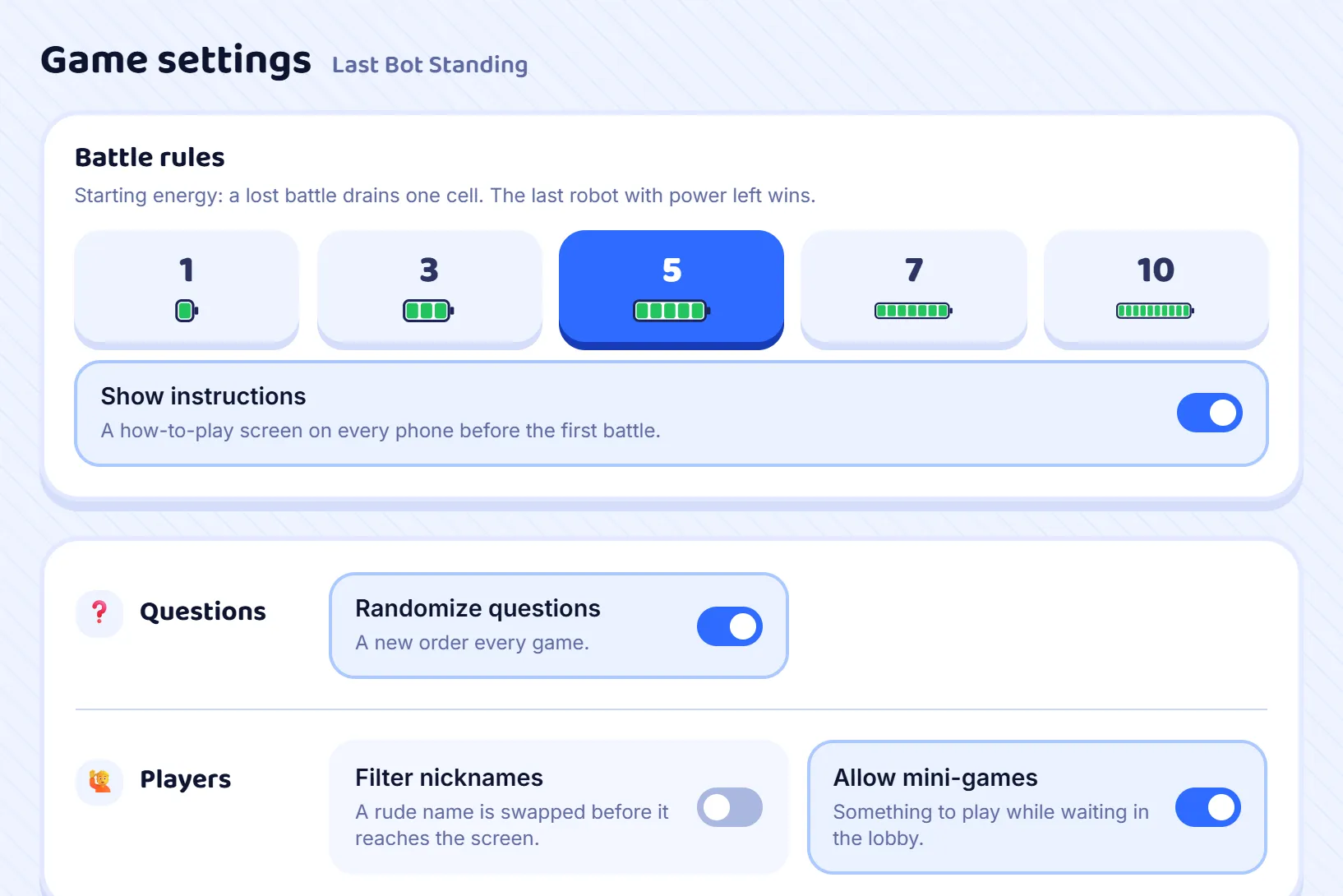
Press Host on a set and choose Last Bot Standing from the game modes. Its Battle rules appear under Game settings: the starting energy, which is how many battles a robot can lose before it is out of power. It starts on 5; 3 makes a short game, and 7 or 10 a long one. There is no clock to set, because the game ends when only one robot has power left. Leave Show instructions on for a class that has not played before.
Step 2: Open the room
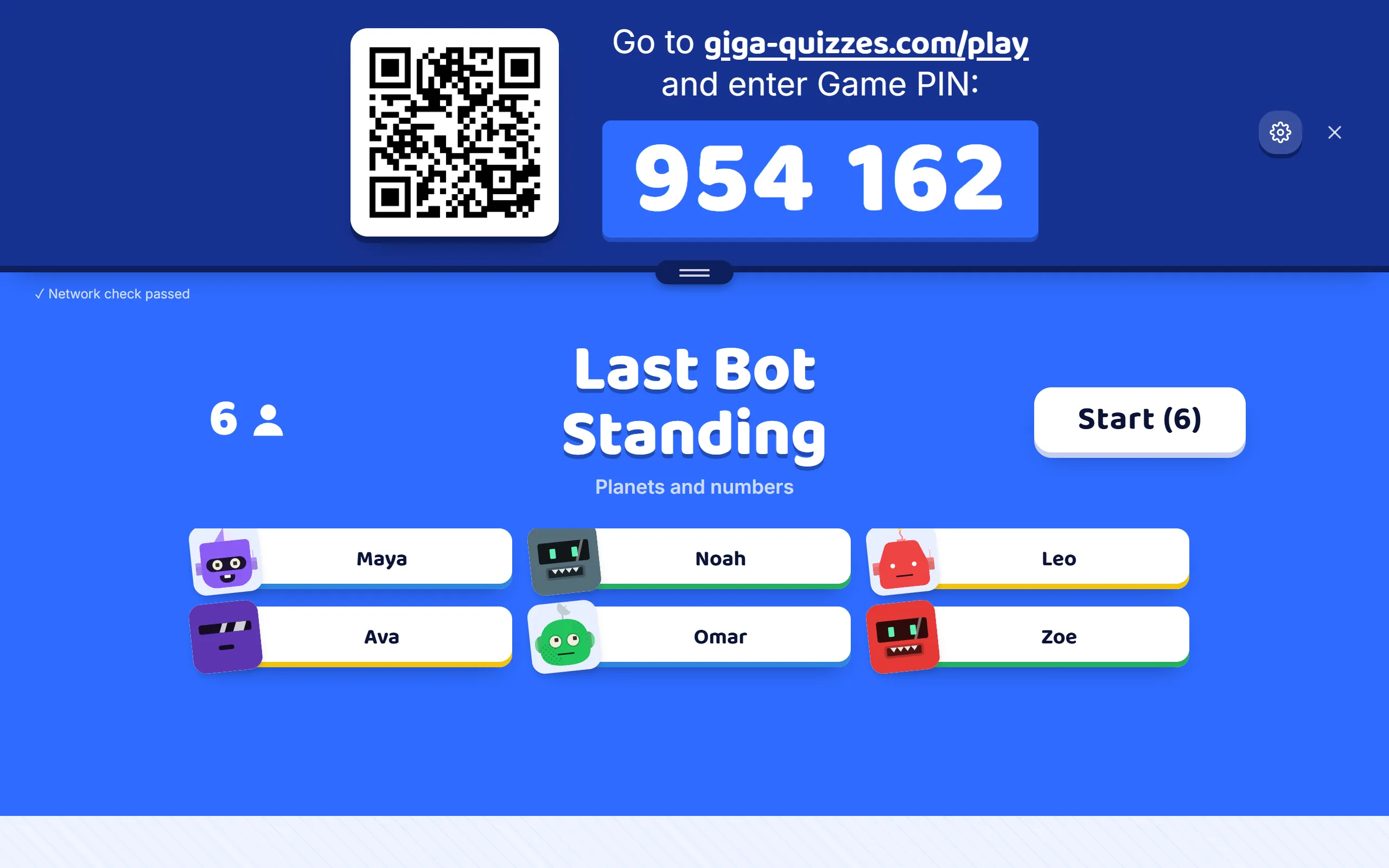
Press Start hosting and the lobby appears, the same one as in a Classic game: the room code, the QR code and the join address, with each player’s name and robot arriving as they come in. You can still change the starting energy here, until you press Start.
Step 3: Players read how to play
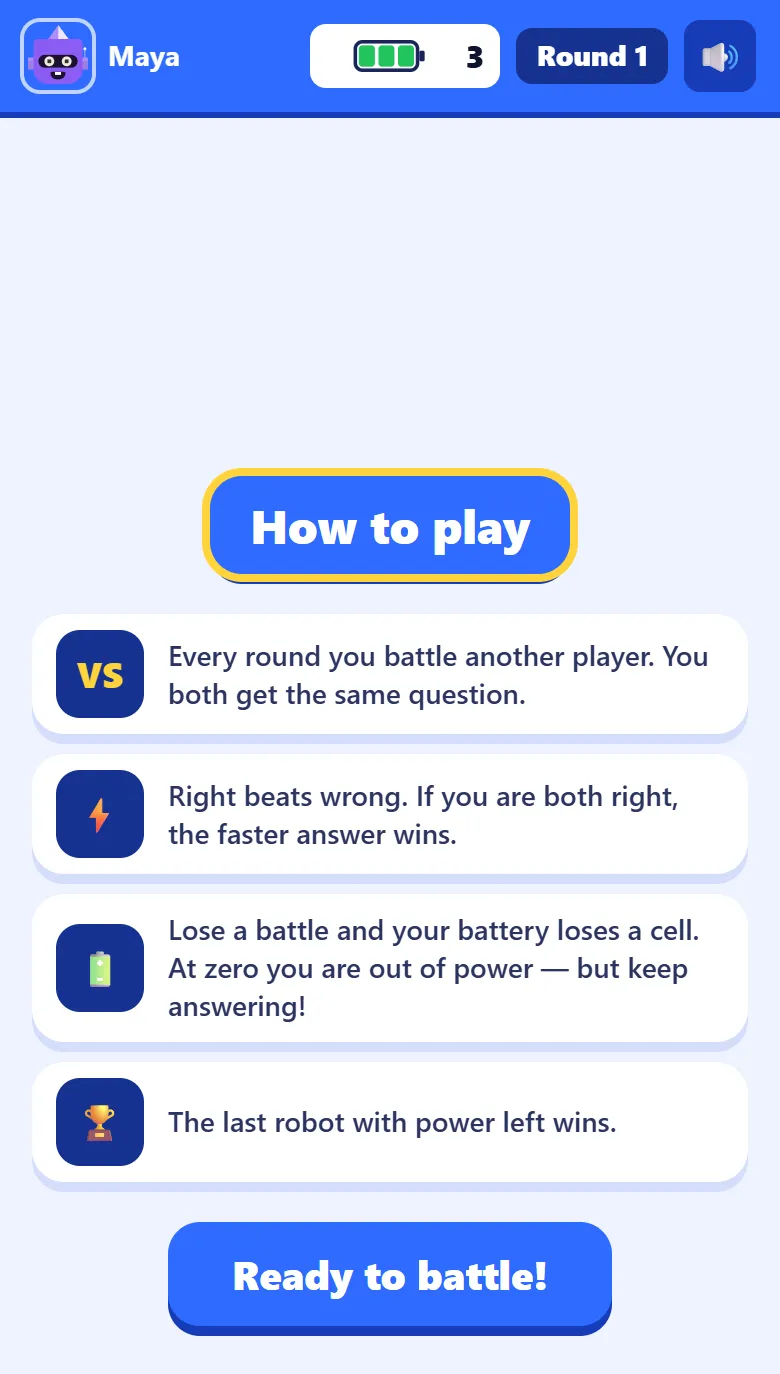
With Show instructions on, every phone opens on How to play: every round you battle another player on the same question, right beats wrong and the faster right answer wins, a lost battle costs a cell, and the last robot with power wins. The first round waits twelve seconds instead of four, so there is time to read; Ready to battle! unlocks after five seconds and shows who the player is up against.
Step 4: Who fights whom
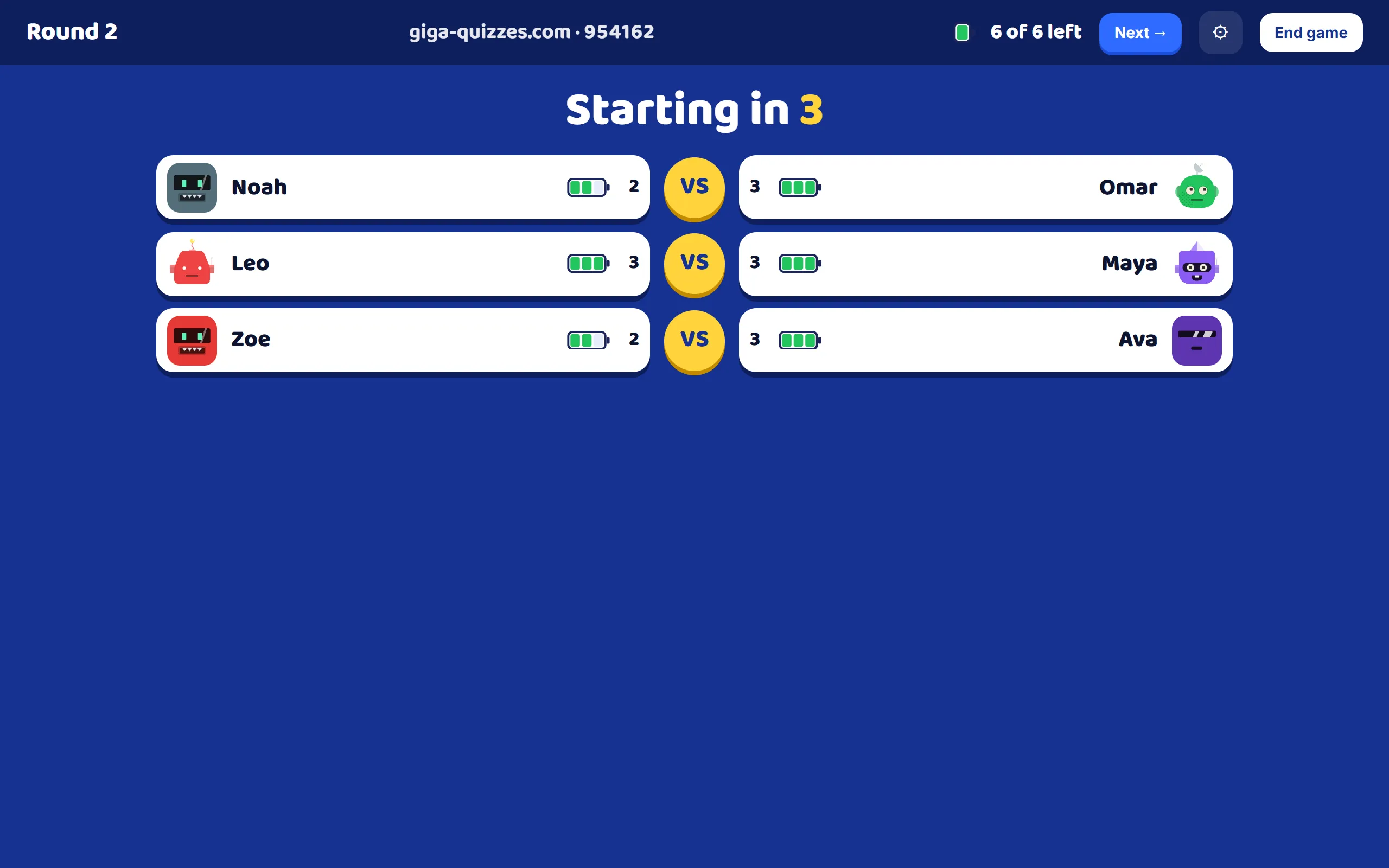
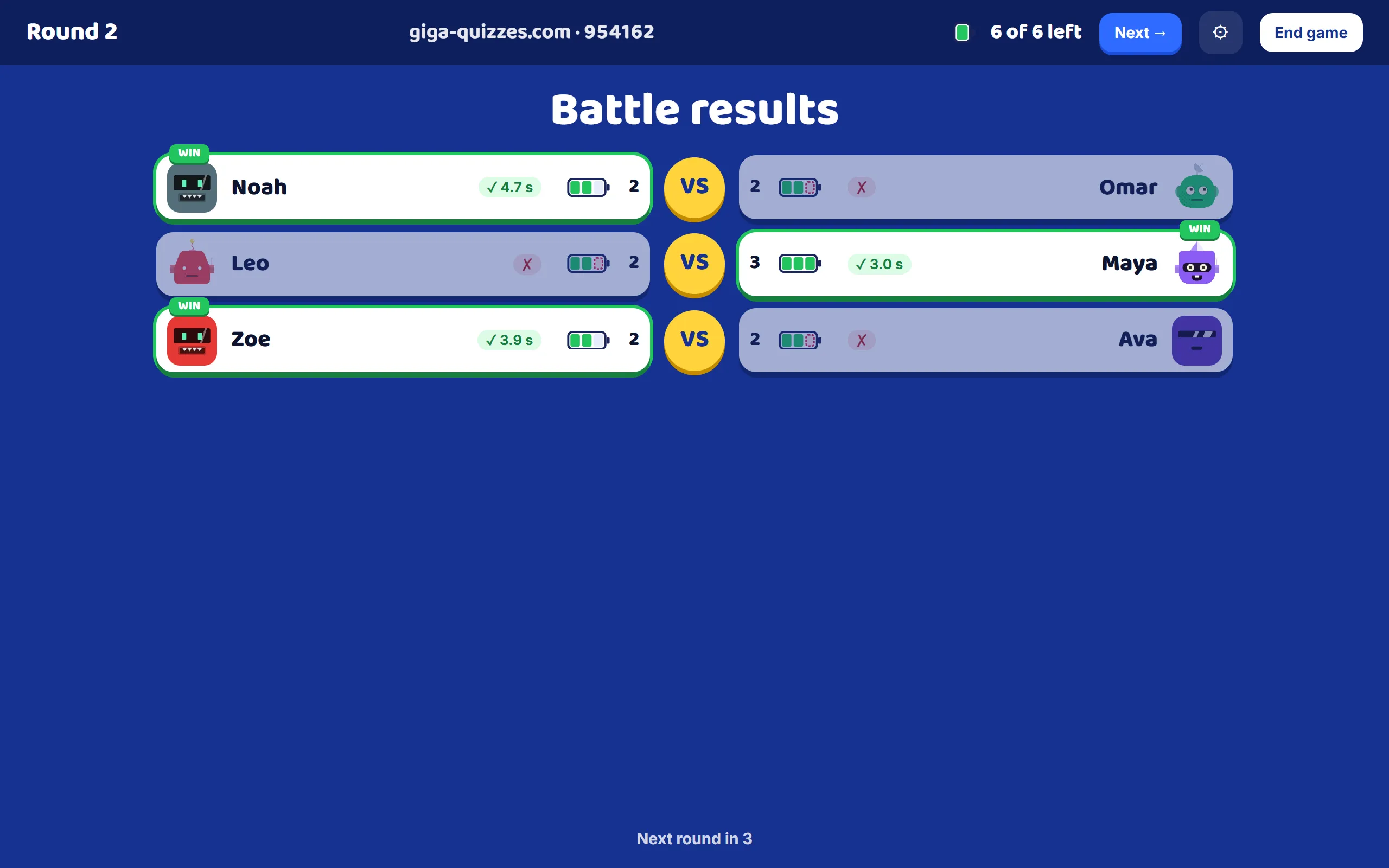
Every round, the robots that still have power are paired at random, and the room screen shows each pair side by side with their batteries and the countdown to the question. The top of the screen shows the round, how many robots still have power, and the Next and End game buttons.
Step 5: On the phone: You vs your rival
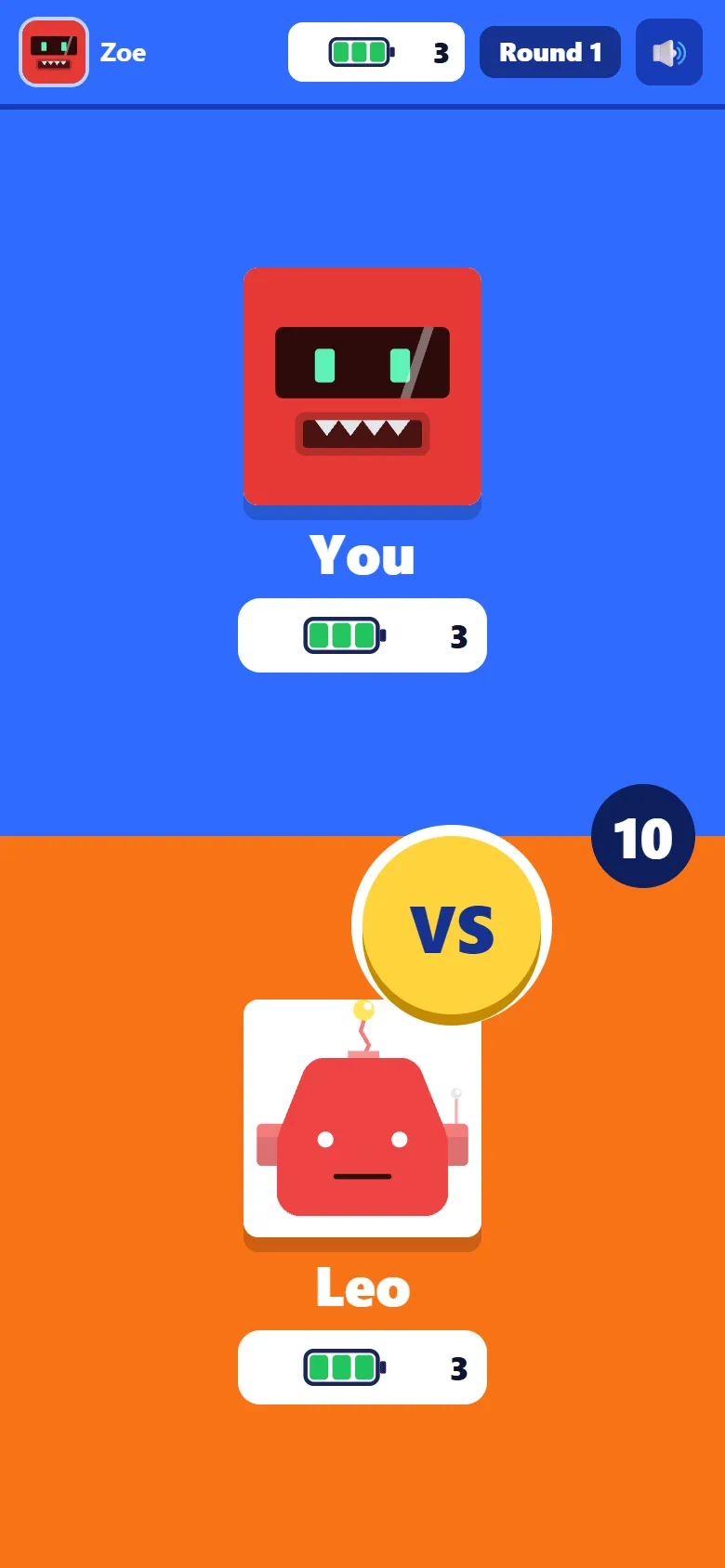
At the same moment, each phone shows the player against their rival: both robots, both batteries, and the seconds until the question. Knowing who they are up against, and how much power each has left, is half the fun.
Step 6: The same question for both
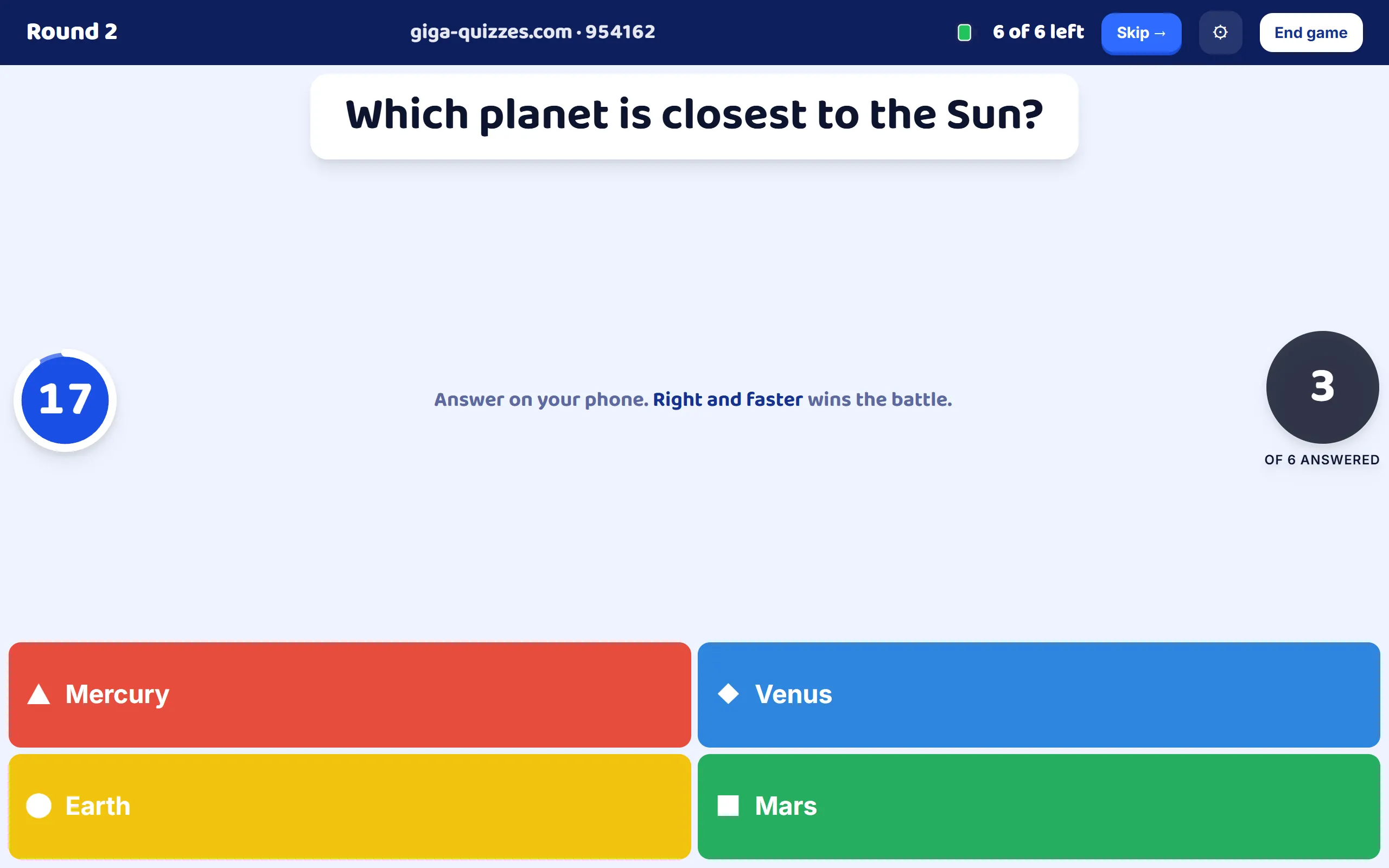
The question opens everywhere at the same moment. The room screen shows it with the time left, how many of the fighters have answered, and the answers along the bottom. The time is the question’s own, as it was set in the set, from 5 seconds to 2 minutes.
Step 7: Answer on the phone
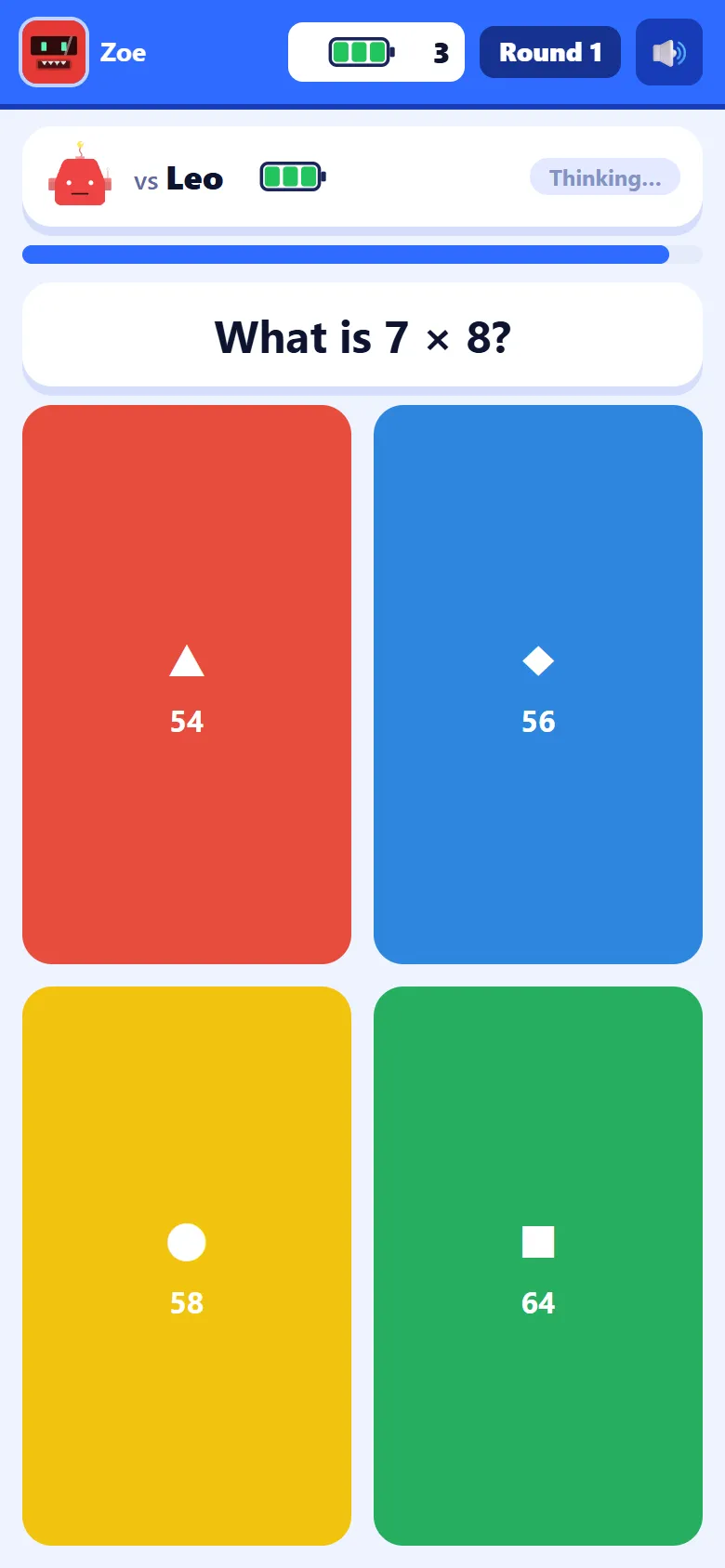
On the phone, the question sits under the rival’s name and battery, with a tag that says Thinking… until the rival answers and then Locked in!. Every question type works as it does in a Classic game. Speed is timed on the phone itself, from the moment the question appears on it.
Step 8: Locked in
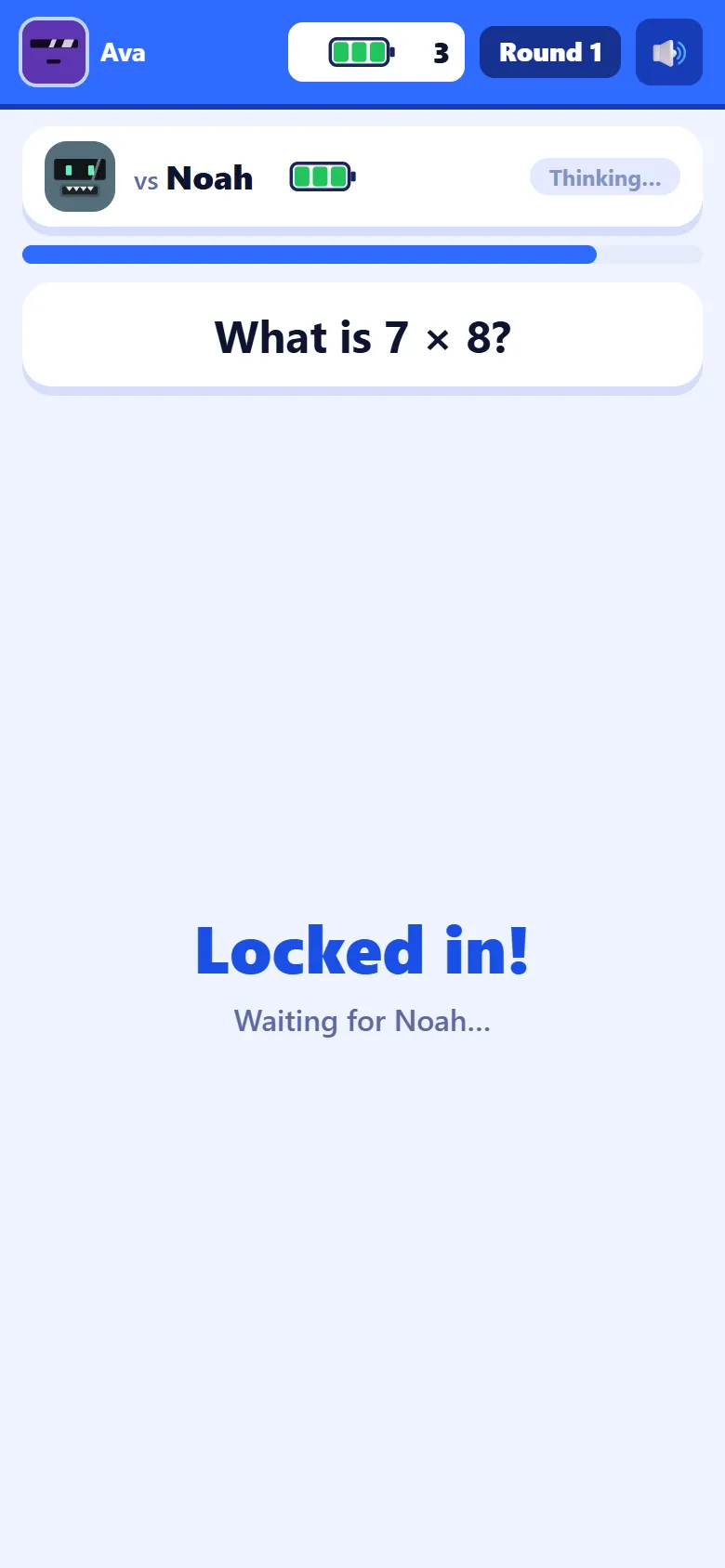
An answer cannot be changed. The phone says Locked in! and waits for the question to close, which happens when every fighter has answered or the time runs out. The room screen then shows for three seconds how the whole room answered, before the battle results.
Step 9: Battle results
Battle results shows each pair with its outcome: the winner, the cell that came off the loser’s battery, a KO when that was their last one, or a draw. Right beats wrong; when both are right, the faster one wins; when both are wrong, or exactly as fast, it is a draw and nobody loses a cell. A few seconds later the next round begins.
Step 10: A battle won
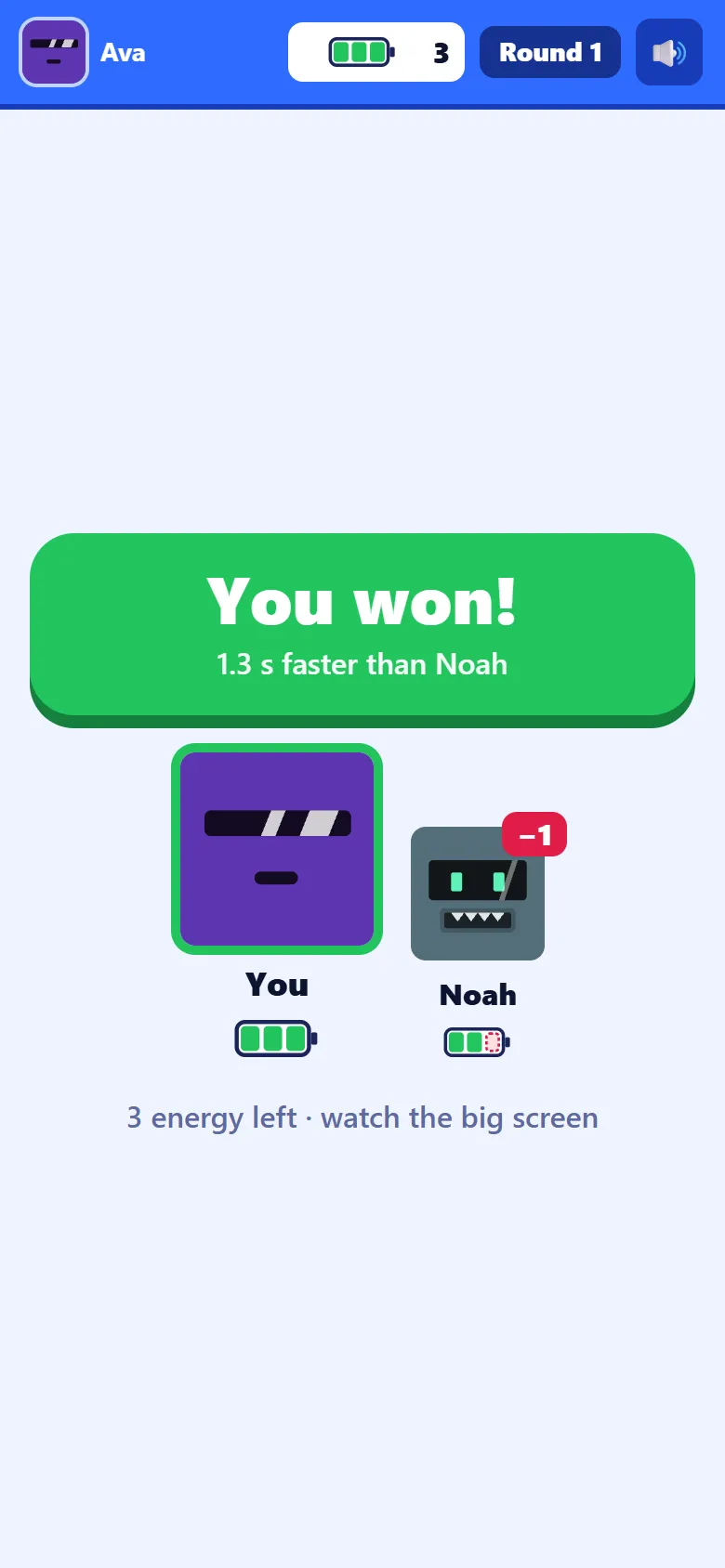
The winner sees You won! with the reason, such as Maya didn’t get it, or how many seconds faster they were, and both robots with the cell that came off the rival. When it was the rival’s last cell, the phone adds a KO.
Step 11: A battle lost
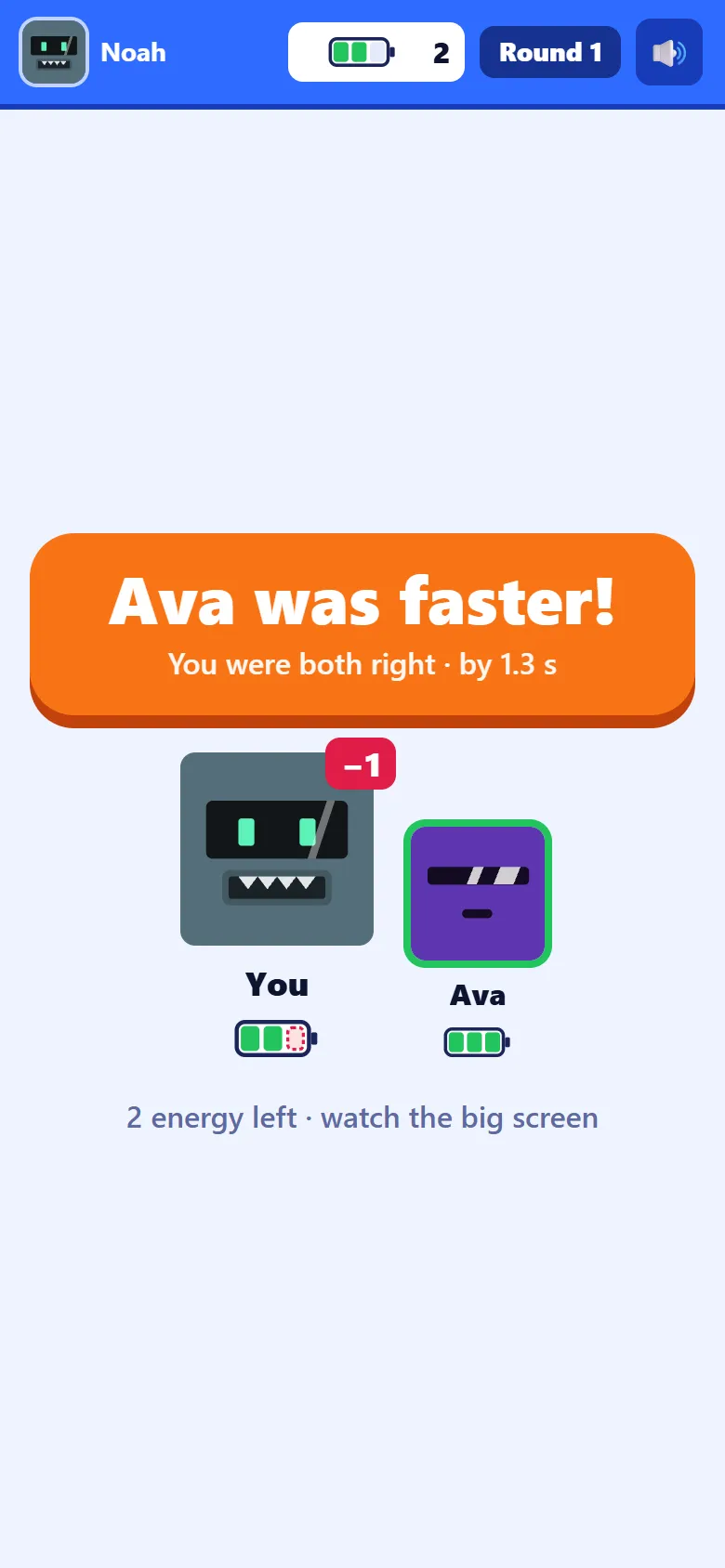
When both were right, the loser sees who was faster and by how much, such as Omar was faster! You were both right · by 1.7 s. When only the rival was right, it says Not this time, and shows the right answer. Either way the battery loses one cell, and the next round comes in a few seconds.
Step 12: Out of power
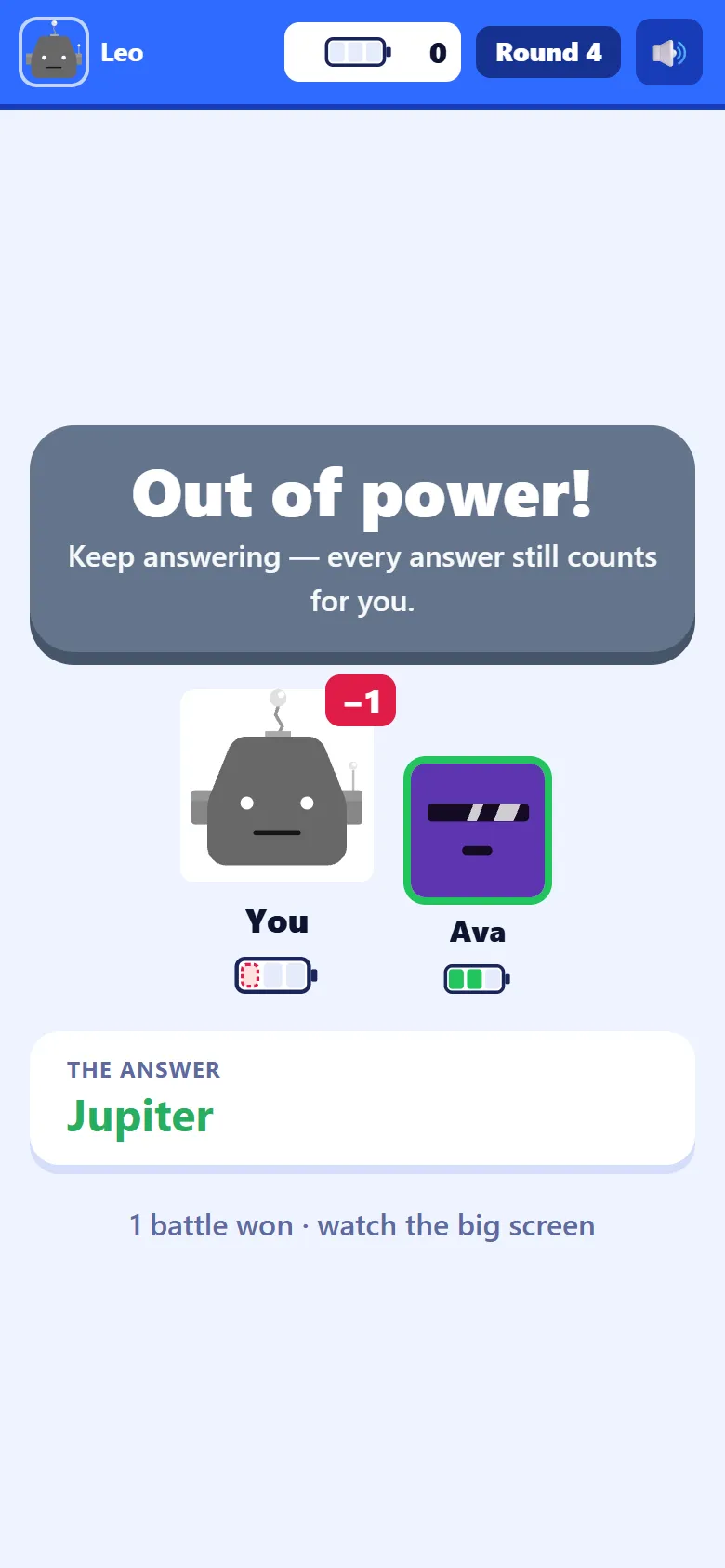
When a robot loses its last cell, its phone says Out of power! and its robot greys out. It is not sent away: it gets every question that follows, so the student keeps practising until the end of the game.
Step 13: Still answering, still counting
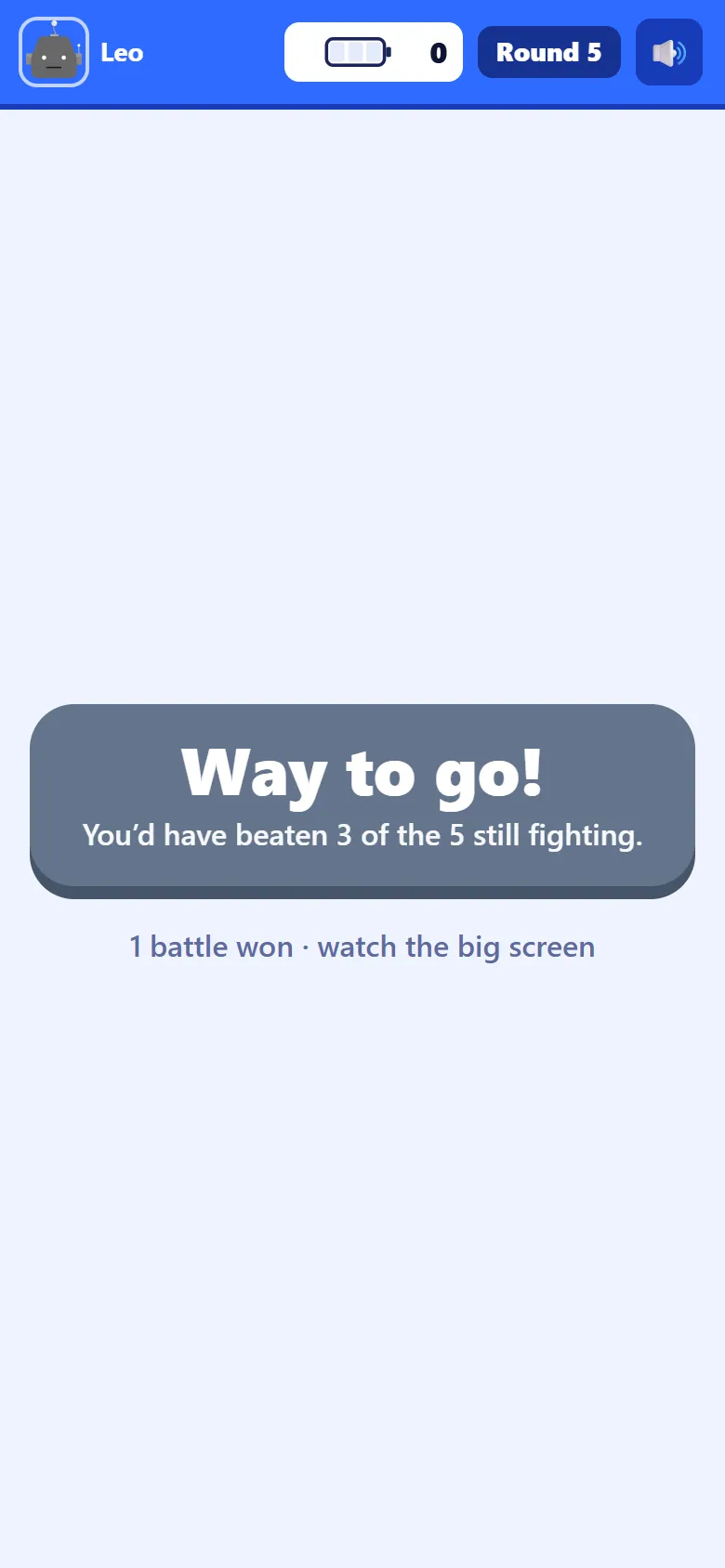
After each round, a robot that is out of power and answered right sees Way to go! and how many of the robots still fighting it would have beaten, such as You’d have beaten 2 of the 5 still fighting. A student who went out early still has a reason to answer fast.
Step 14: Last bot standing
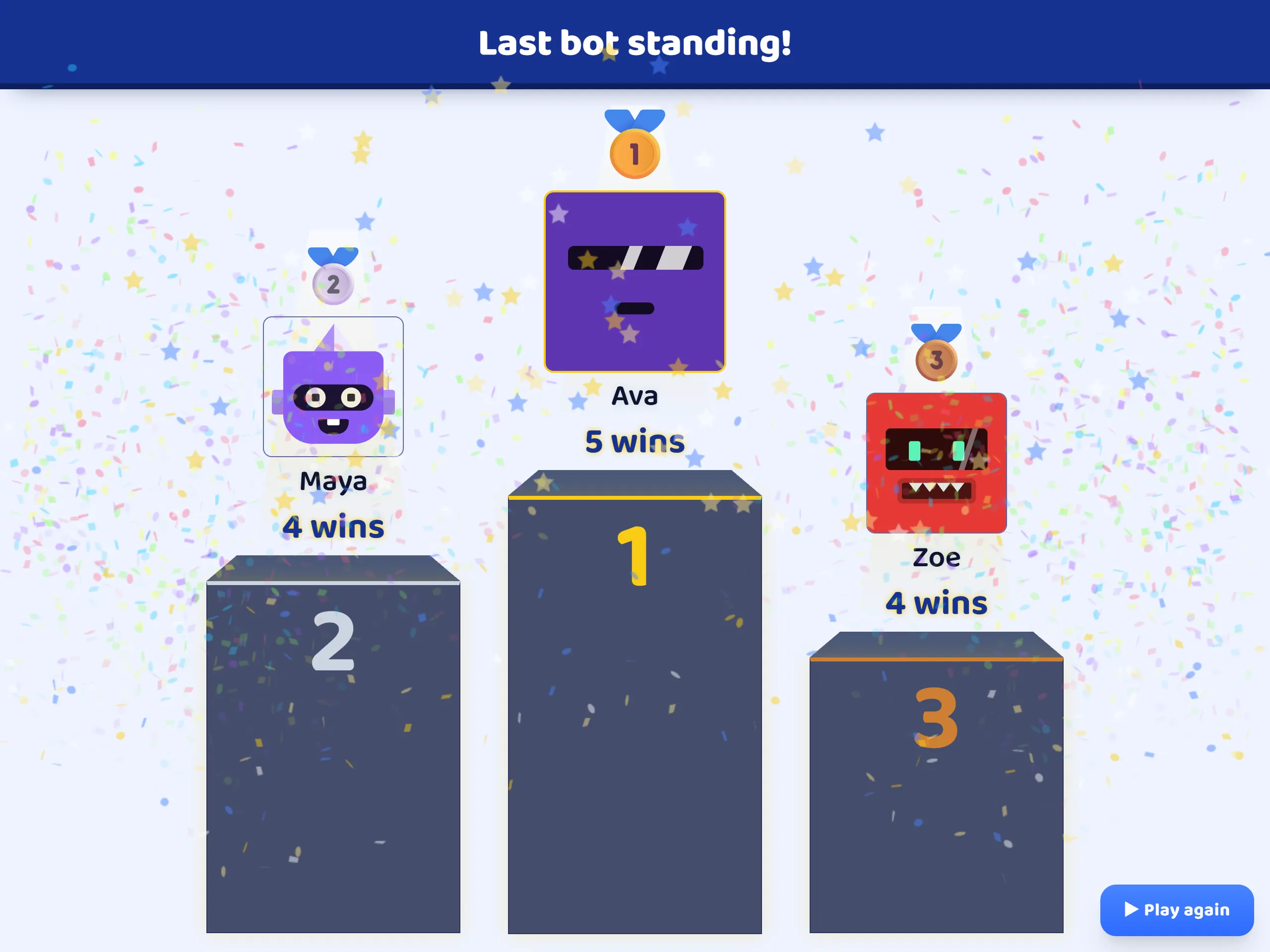
The game ends when one robot is left with power, or when you end it. The room screen shows Last bot standing! and the podium. The winner is the robot still standing; the others are placed by how late they went out, then by battles won. Ended early, the robots still in come first, by the power they have left. Each robot’s number on the podium is the battles it won.
Step 15: Each player’s result
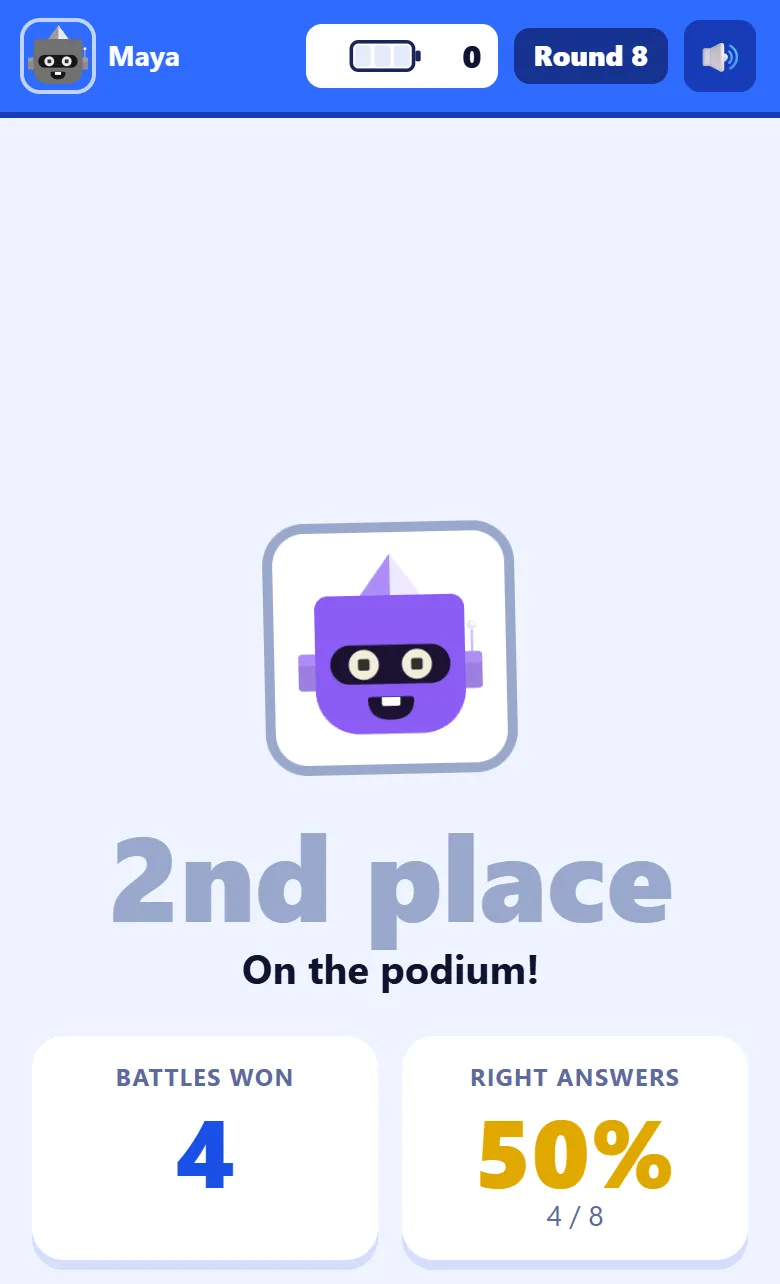
Each phone says The battle is over and points the player to the big screen while the podium plays, then shows their own place, how many battles they won, and how many questions they got right, out of every question they answered, the ones after they went out included.
Step 16: Read the results
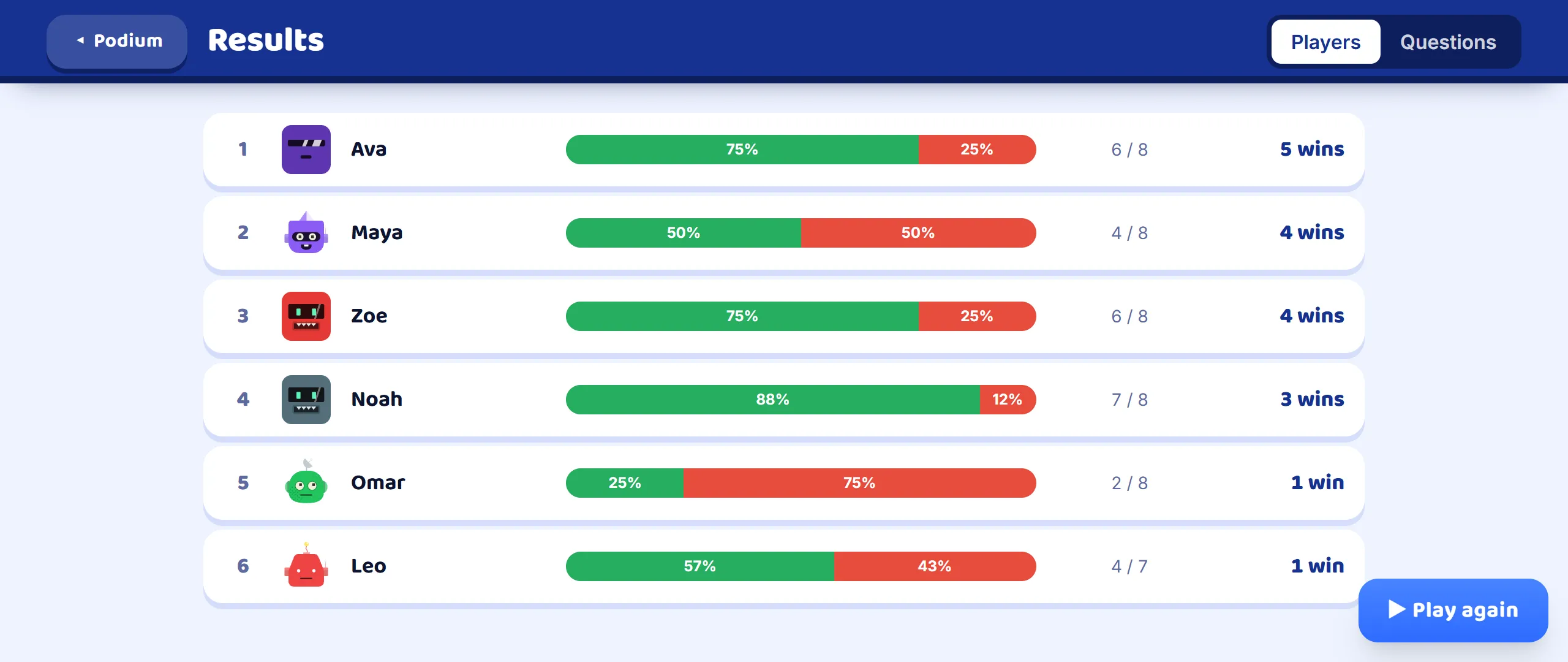
Press See results under the podium for the full results: every player with a bar of right and wrong answers, how many they got right out of how many they answered, and their battles won. The Questions tab turns it round: how often each question was answered right across the whole room.
Step 17: The report afterwards
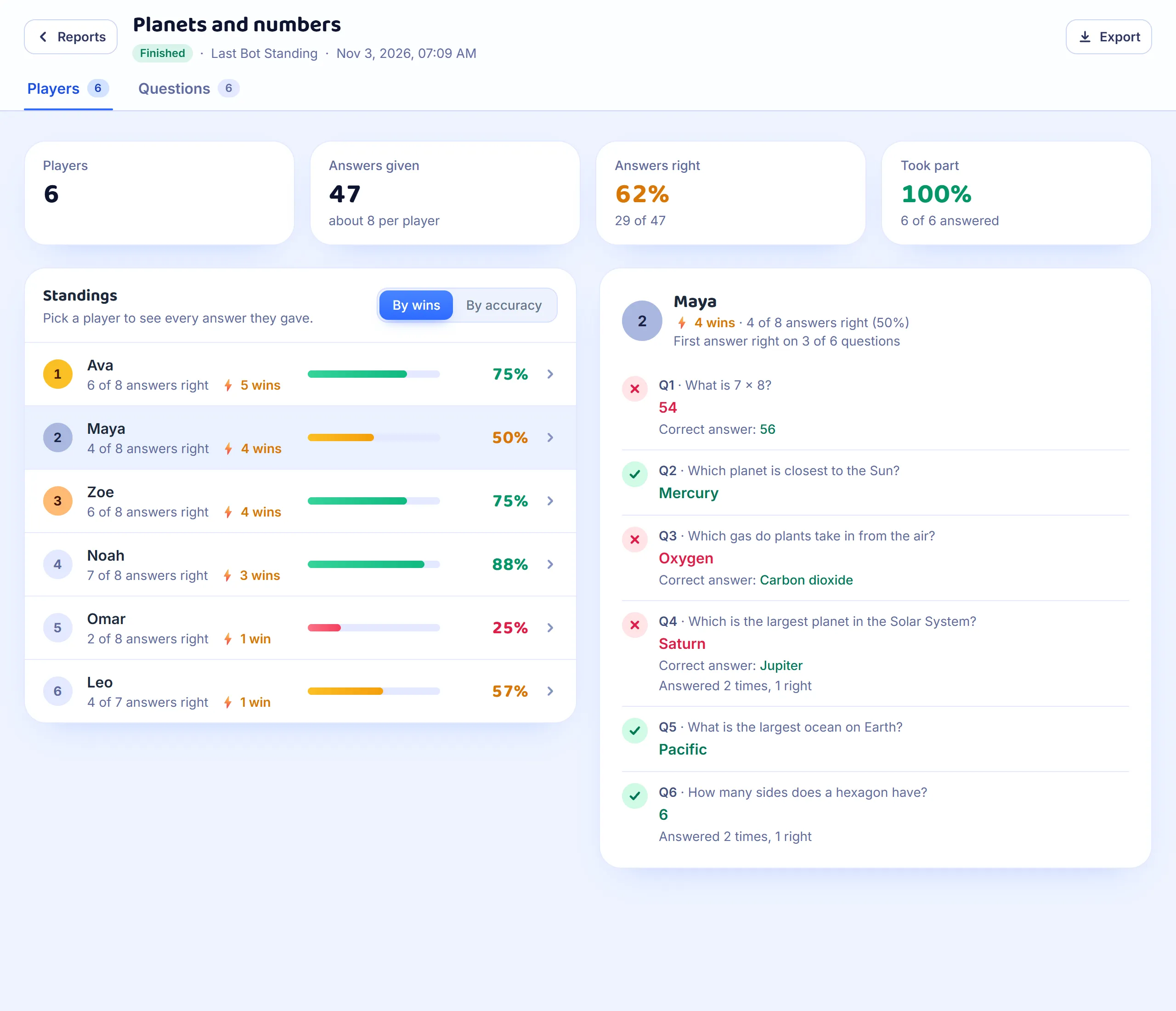
If you are signed in, the game is saved in Reports when it ends. Each student’s row shows the share of their answers that were right, with their battles won beside it, and By accuracy puts the list in that order. Pick a student to see every question: the first answer they gave, and, when it came round again, how many times they answered it and how many of those were right.
Good to know
- Any set works. Questions with a right answer are asked as in a Classic game; information slides and polls are skipped, since nobody can win a battle on them. The questions come round again, in a new order, until one robot is left.
- The rounds run by themselves. Skip ends a question early, Next moves on from the other stages, and End game stops the game at any point.
- With an odd number of robots, the odd one out battles Sparky, the game’s own robot. Sparky gets about seven questions in ten right, at about the room’s usual speed.
- A student who arrives late joins from the next round, with as much power as the weakest robot still fighting, so they are not handed an advantage.
- Last Bot Standing has no teams: every robot fights for itself.