Guide
Play a quiz in Wanted!
Wanted! turns any set into a gold rush in the Wild West, with a little bluffing. Each student answers at their own speed, and every right answer brings a choice: mine one of three closed carts of gold, or call the Sheriff on a classmate. A miner can sneak a peek inside the carts with a lantern, but then they are WANTED for a while, and a Sheriff who checks them in that time takes 30% of their gold. Checking an honest miner still pays a small reward. The most gold when the time runs out wins. This guide follows one game from the settings to the report, on the room screen and on a player’s phone.
19 steps · about 5 min · written for a computer
Step 1: Choose Wanted!
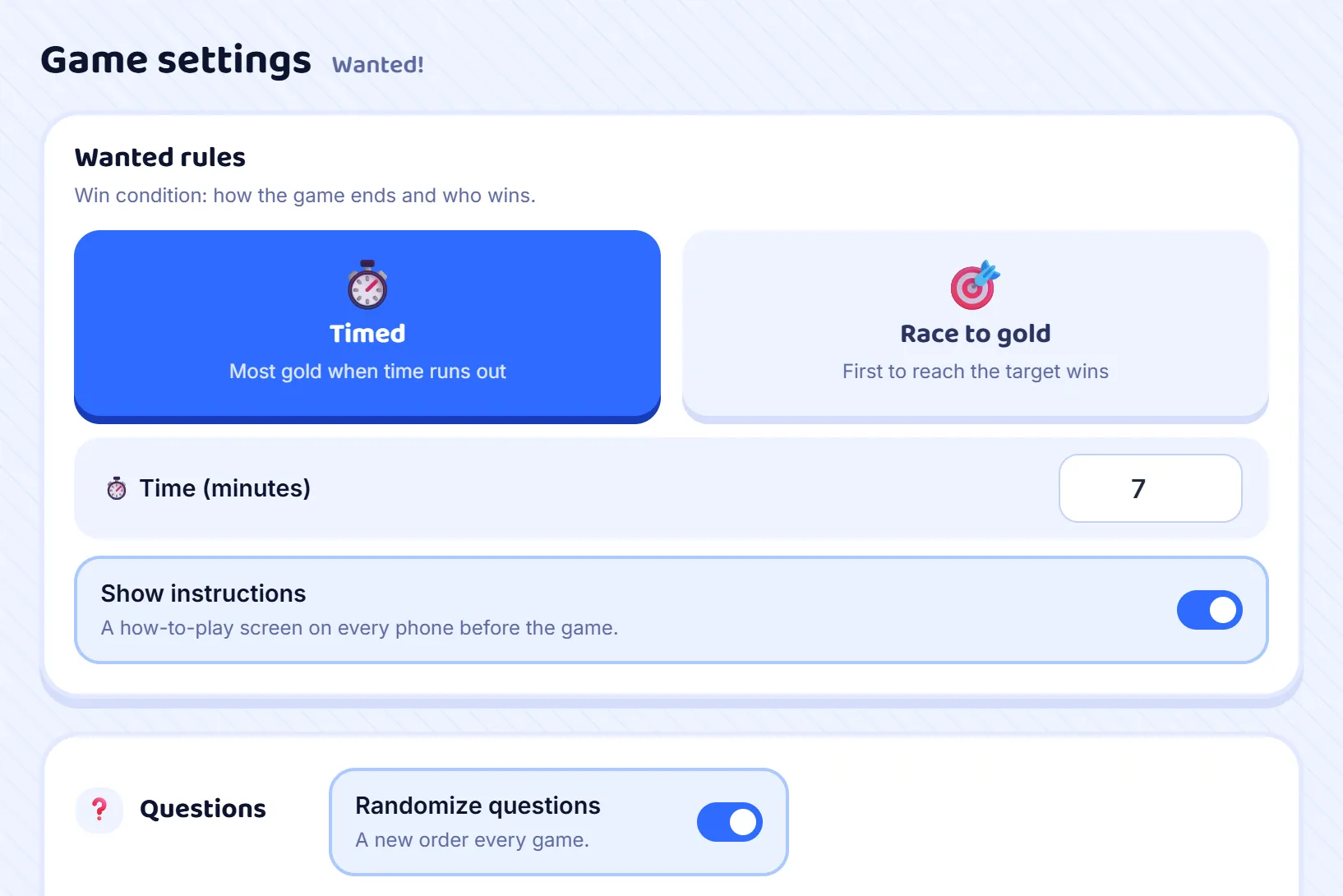
Press Host on a set and choose Wanted! from the game modes. Its own rules appear under Game settings. Timed ends the game when the clock runs out, and the most gold wins; set the minutes, from 1 to 60, with 7 to begin with. Race to gold ends it the moment one player reaches the target you set, 25,000 gold to begin with. Leave Show instructions on for a class that has not played before. Randomize questions starts on in this mode, so every game asks the set in a new order.
Step 2: Open the room
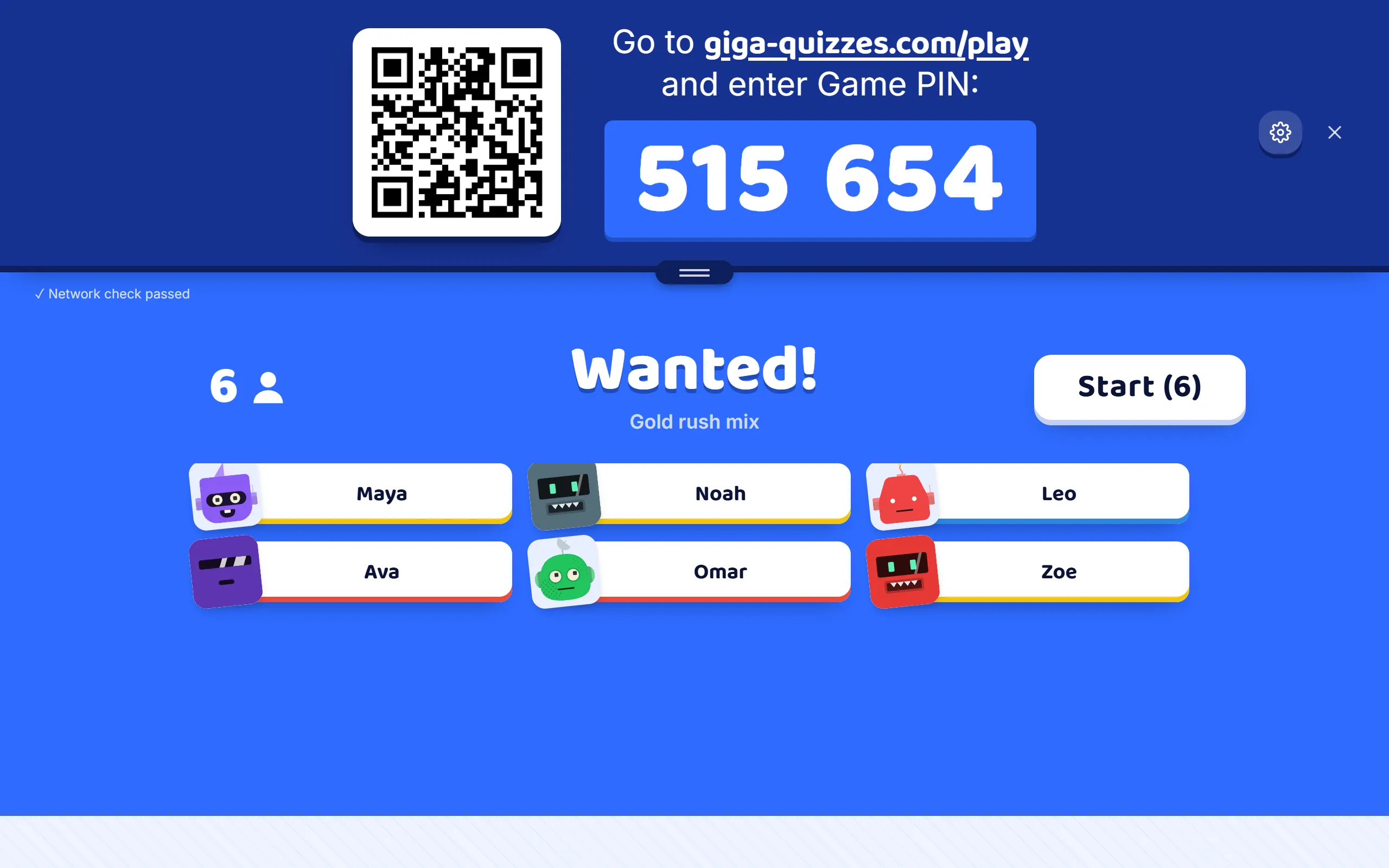
Press Start hosting and the lobby appears, the same one as in a Classic game: the room code, the QR code and the join address, with each player’s name and robot arriving as they come in. You can still change the time or the target here, until you press Start.
Step 3: Miners read how to play
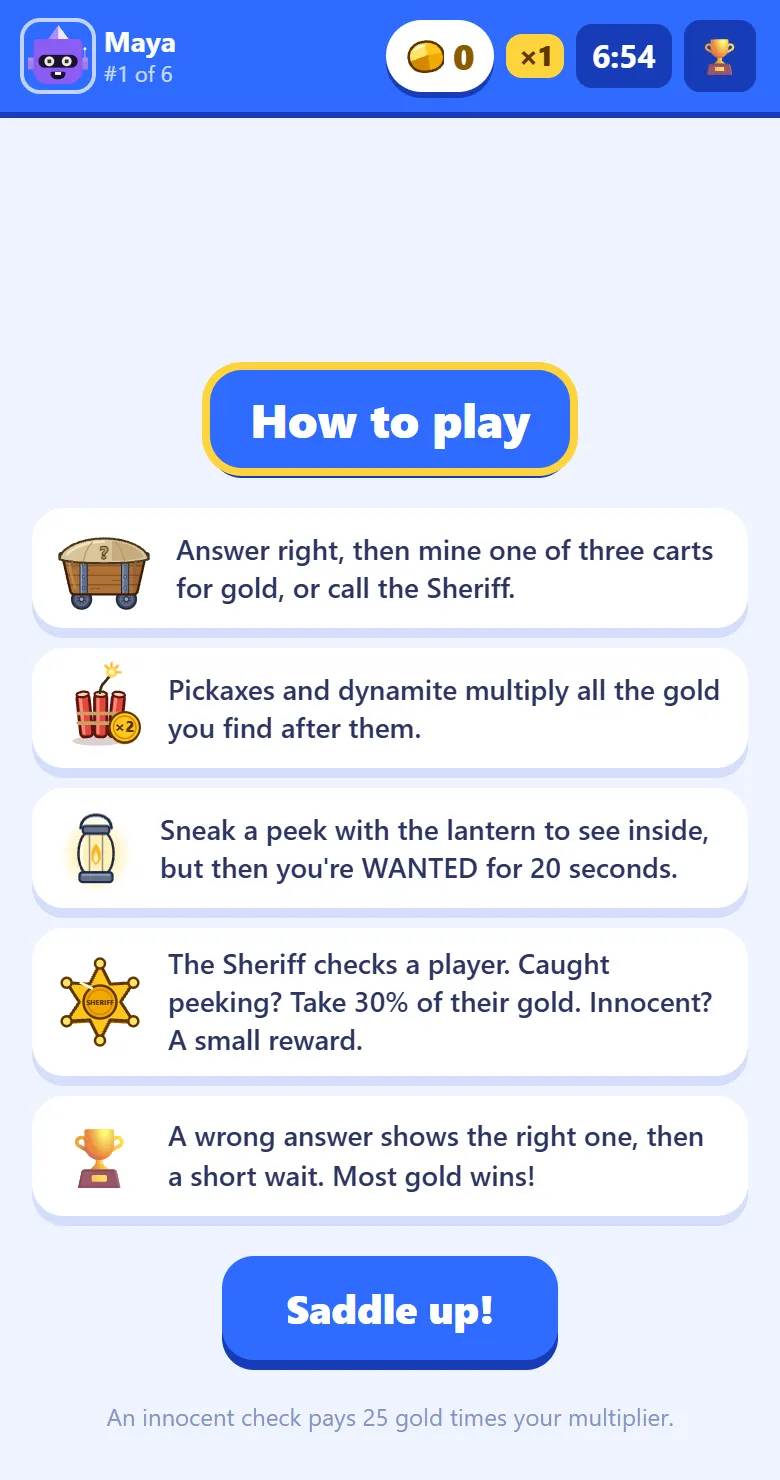
With Show instructions on, every phone opens on How to play: answer right, then mine a cart or call the Sheriff; tools multiply the gold found after them; the lantern shows inside the carts but makes you WANTED for 20 seconds; the Sheriff takes 30% from a miner caught peeking, and a small reward for an honest one; and a wrong answer means a short wait. The Saddle up! button unlocks after five seconds, and the phone moves on by itself after a minute.
Step 4: Answer at your own pace
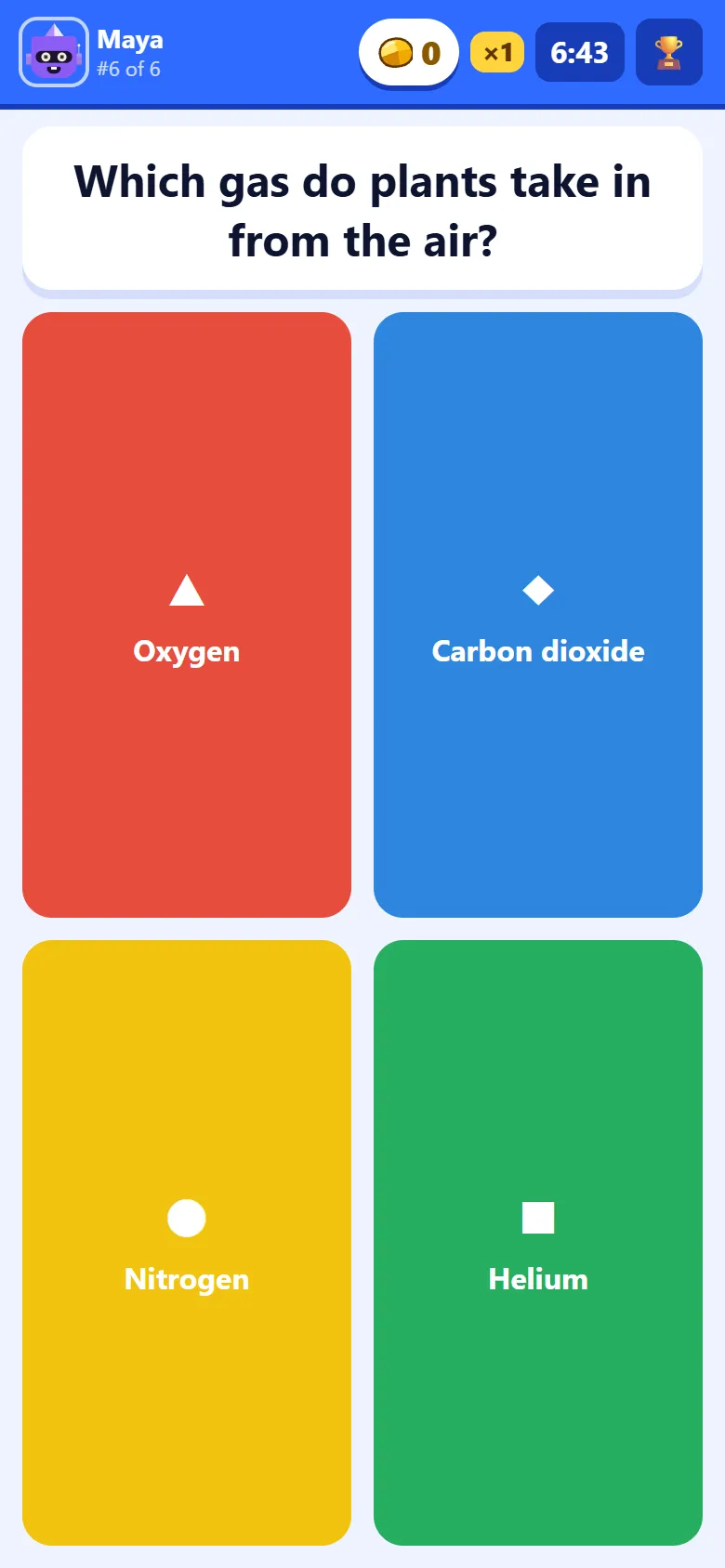
Then the questions start, on the phone itself: the question, any picture, and the answers in the usual colours. The bar along the top shows the player’s gold, their multiplier, their place in the room and the time left, and the trophy opens the leaderboard.
Step 5: A wrong answer costs three seconds
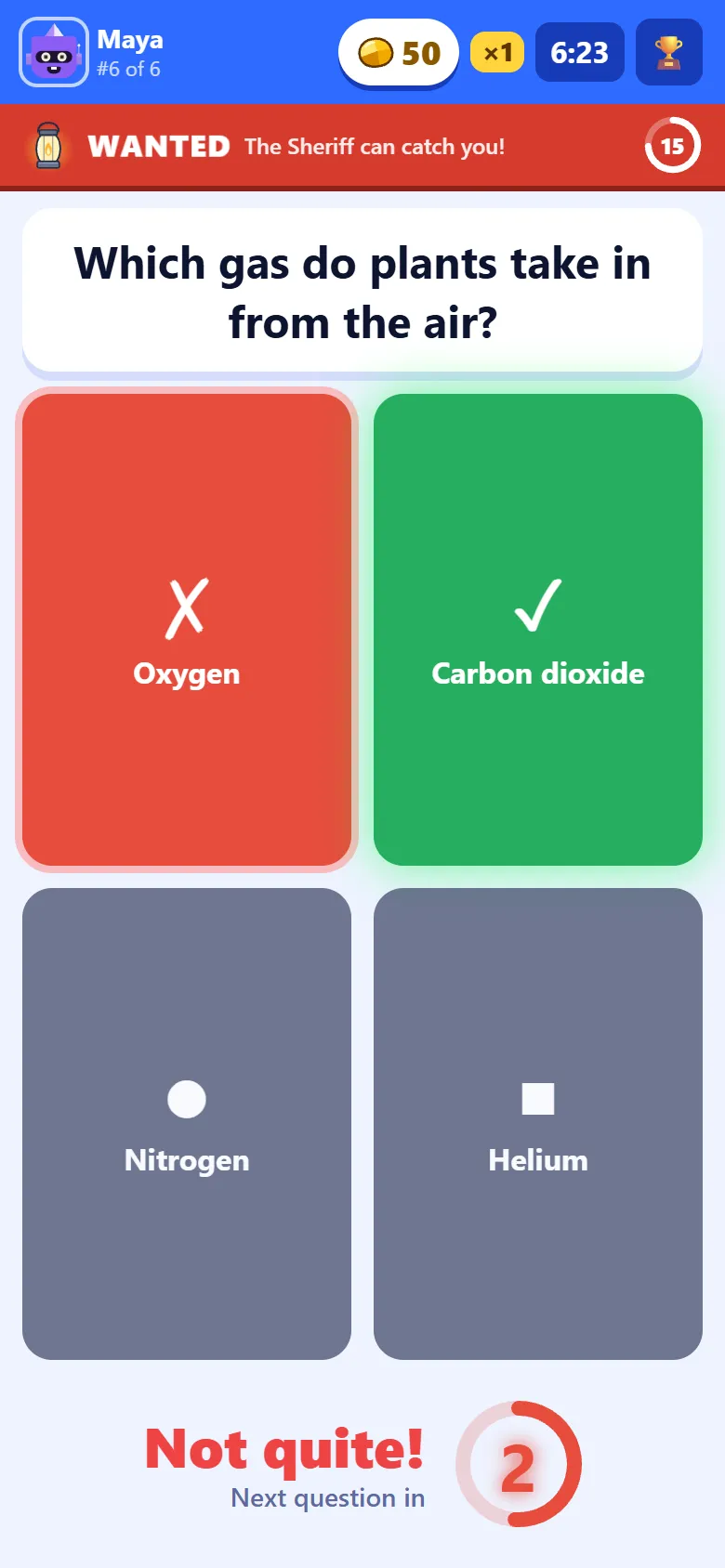
A wrong answer brings no gold and no Sheriff. The phone says Not quite! and marks the right answer (a typed answer is written out instead), so the player leaves knowing it, and a ring counts down three seconds before the next question.
Step 6: Mine, or call the Sheriff
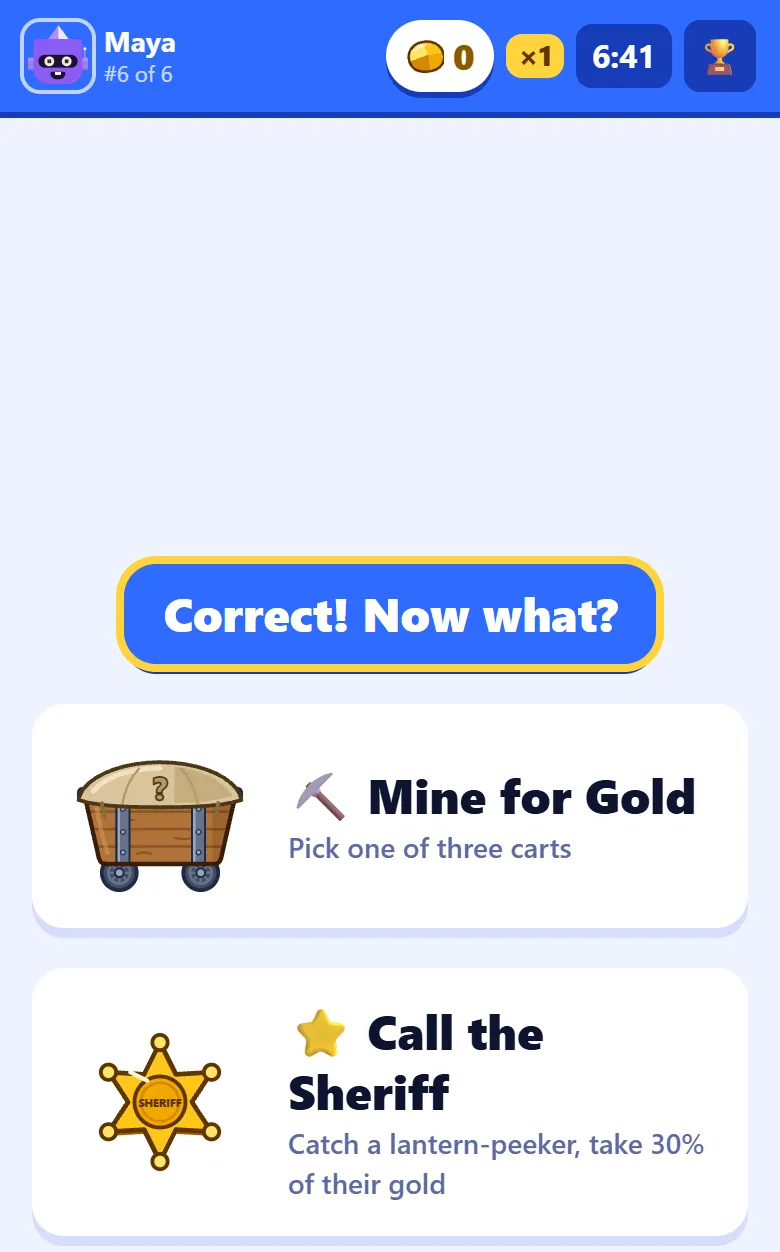
After a right answer the phone says Correct! Now what? and offers two choices. Mine for Gold opens the carts. Call the Sheriff checks another player, and is greyed out with Nobody to check yet while the player is alone in the room. Mining builds gold; the Sheriff takes it from those who took a risk.
Step 7: Pick a cart
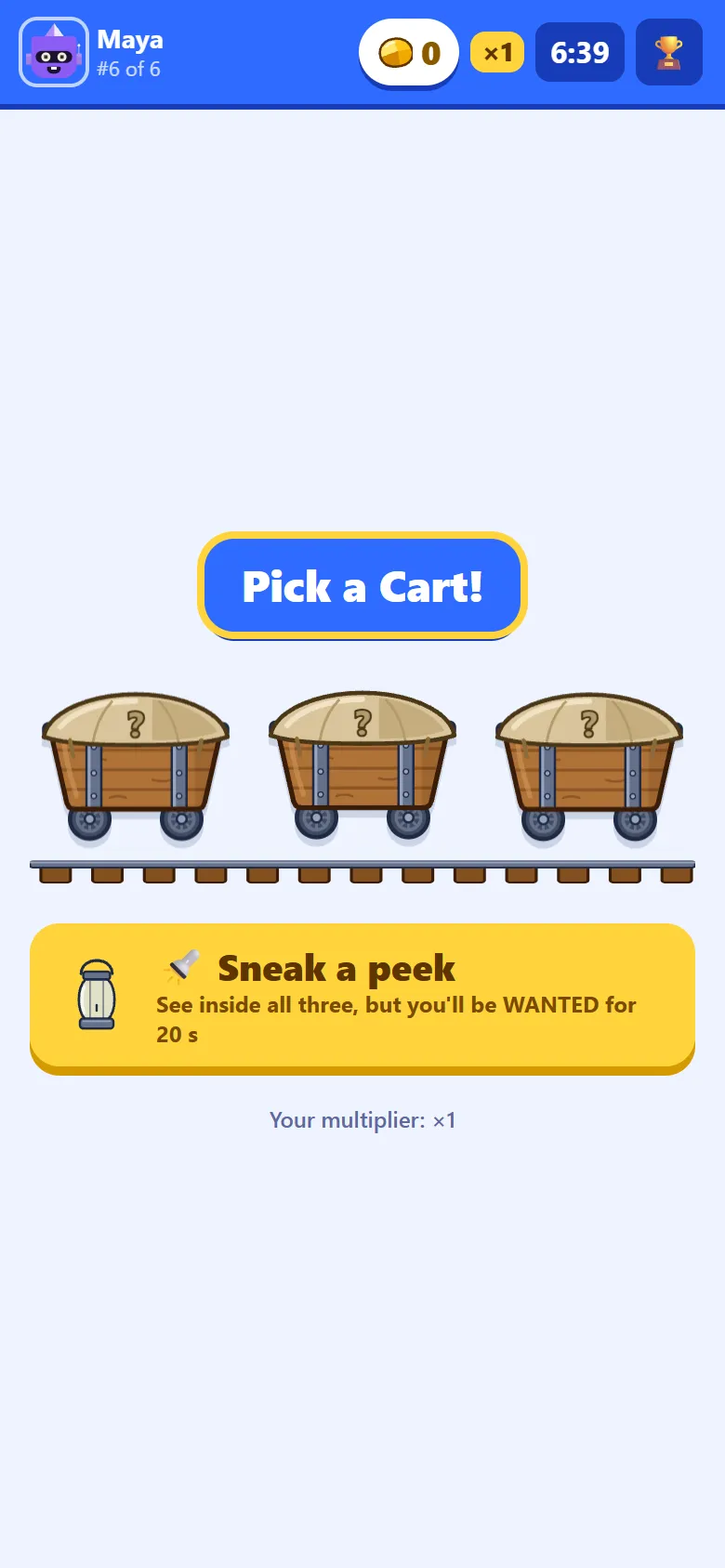
Mining shows three closed carts on the rails, and nobody can tell what is inside until one is picked. Every cart holds something. Most hold gold: Gold Dust (10), a Small Nugget (25), a Nugget (50), a Big Nugget (75), a Gold Bar (100), a Gold Pouch (125), a Gold Stack (250) or, rarely, a Diamond (500), each multiplied by the player’s multiplier. Some hold a tool instead: a Steel Pickaxe multiplies all the gold found after it by 1.5, and Dynamite doubles it. Under the carts is the button to sneak a peek.
Step 8: Sneak a peek, and be WANTED
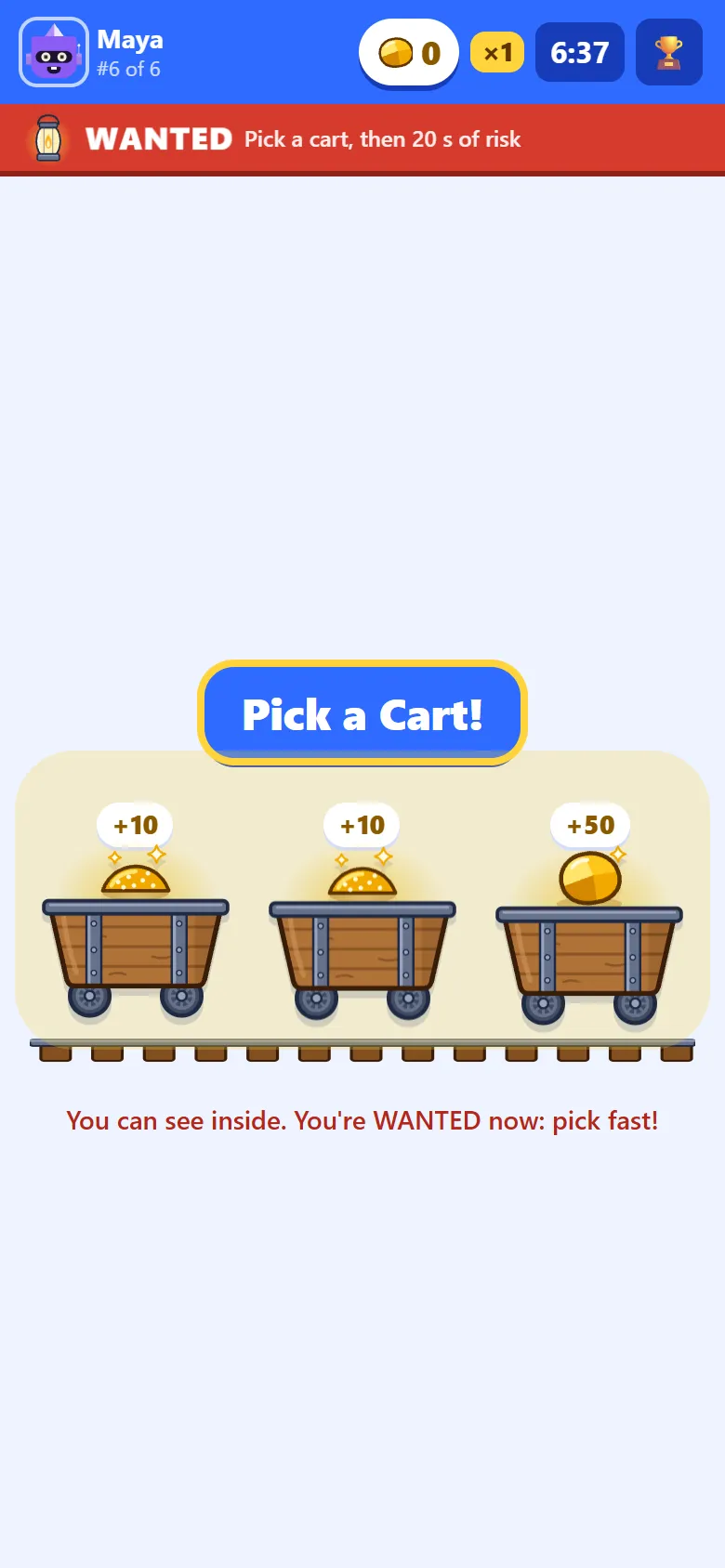
Sneak a peek lights the lantern: the carts show what they hold, so the player can take the best one. The price is a red WANTED strip across the top of their phone. They are wanted from the moment the lantern lights until 20 seconds after they pick a cart, with a ring counting the seconds down, and a Sheriff who checks them in that time catches them. Waiting on the carts does not help: the 20 seconds only start at the pick.
Step 9: See what was inside
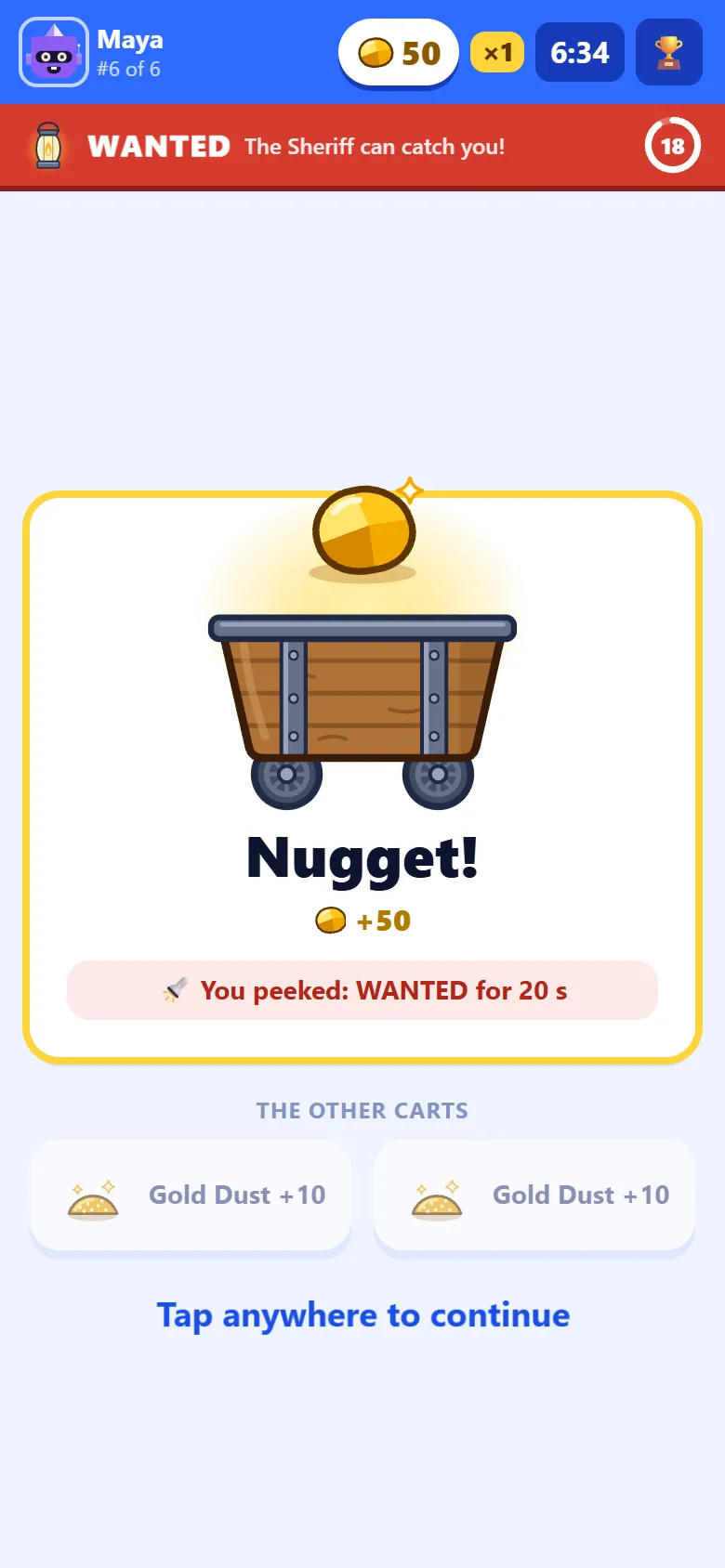
The cart opens and says what it held, and how much gold that came to at the player’s multiplier. After a peek, it reminds them they are wanted. Underneath, the other two carts open too, faded, so the player sees what they might have had. A tap anywhere moves on to the next question.
Step 10: Call the Sheriff
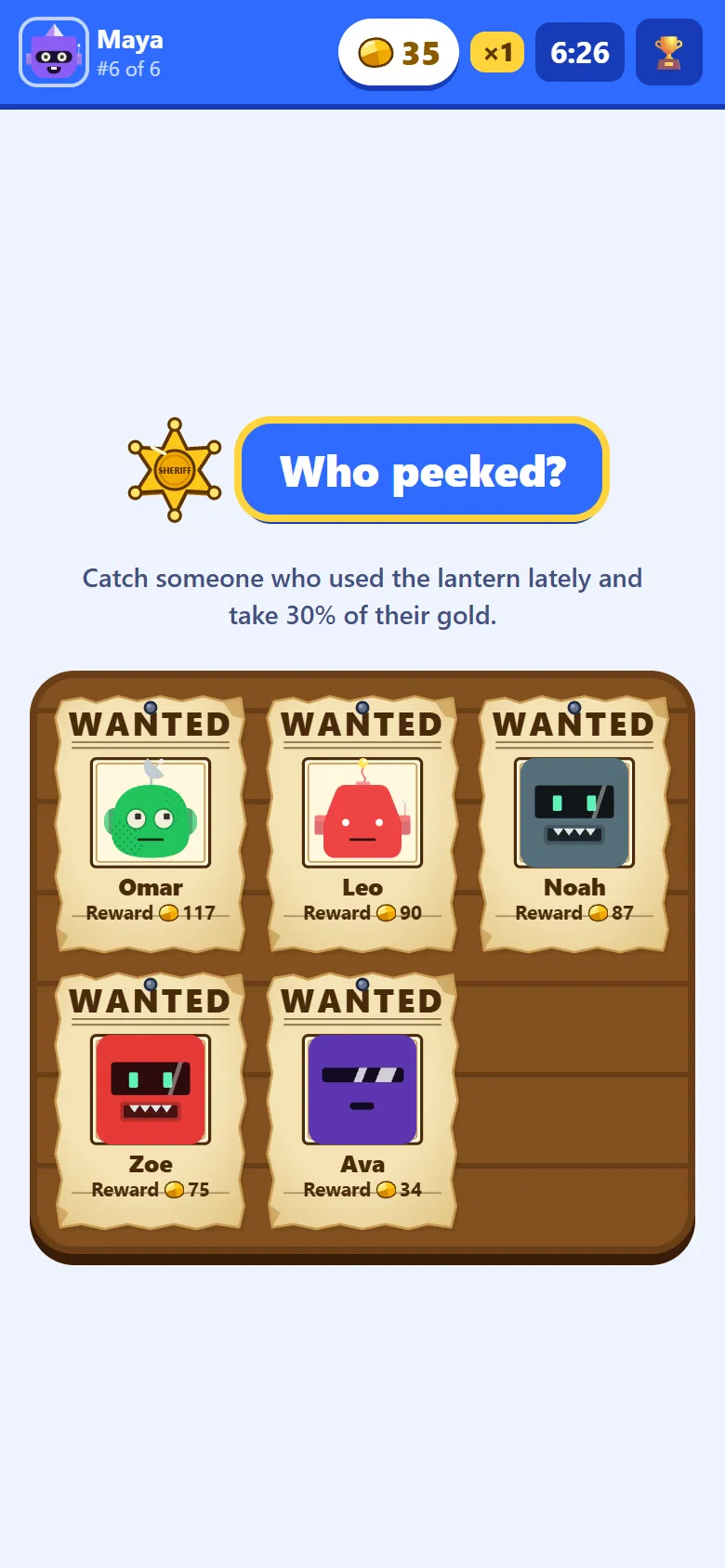
Call the Sheriff asks Who peeked? and pins up a WANTED poster for each of the other players, the richest first, each with their robot, their name and the reward: 30% of their gold. The player picks one, knowing who has the most to lose, but not who used the lantern.
Step 11: The check
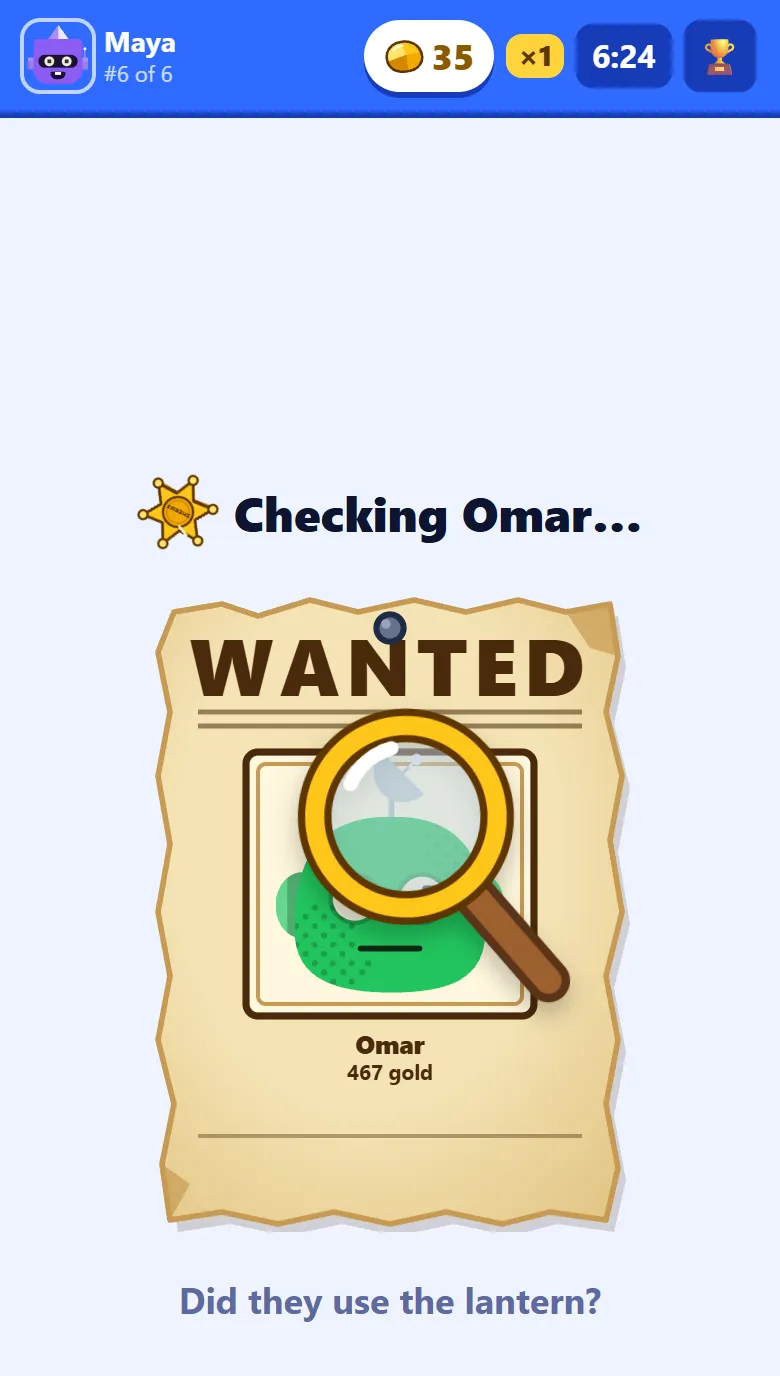
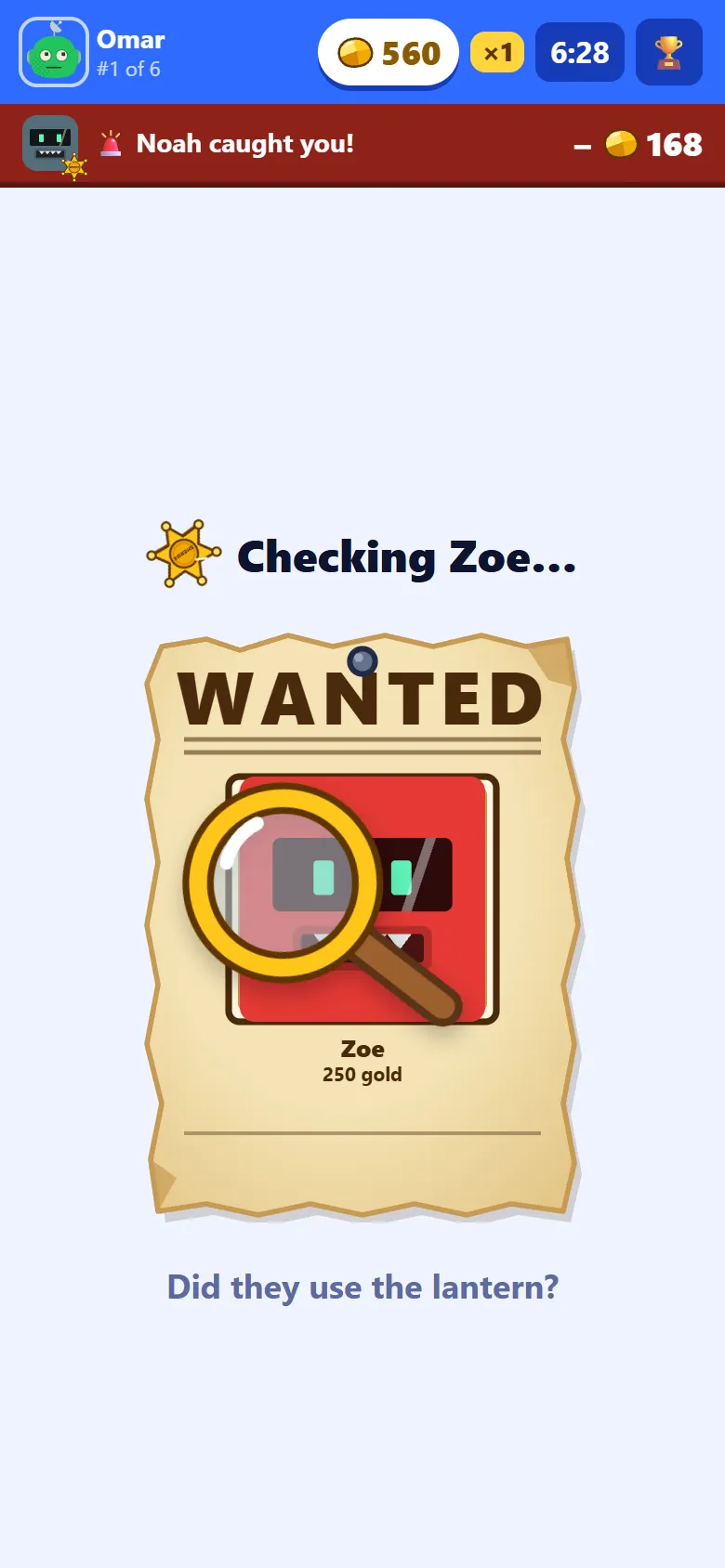
The phone says Checking, with the poster under a magnifying glass, for three seconds. What counts is the moment the player was picked: if they were wanted then, they are caught, even if their 20 seconds run out during the check. Two Sheriffs who pick the same outlaw before the first check lands both catch them.
Step 12: Caught!
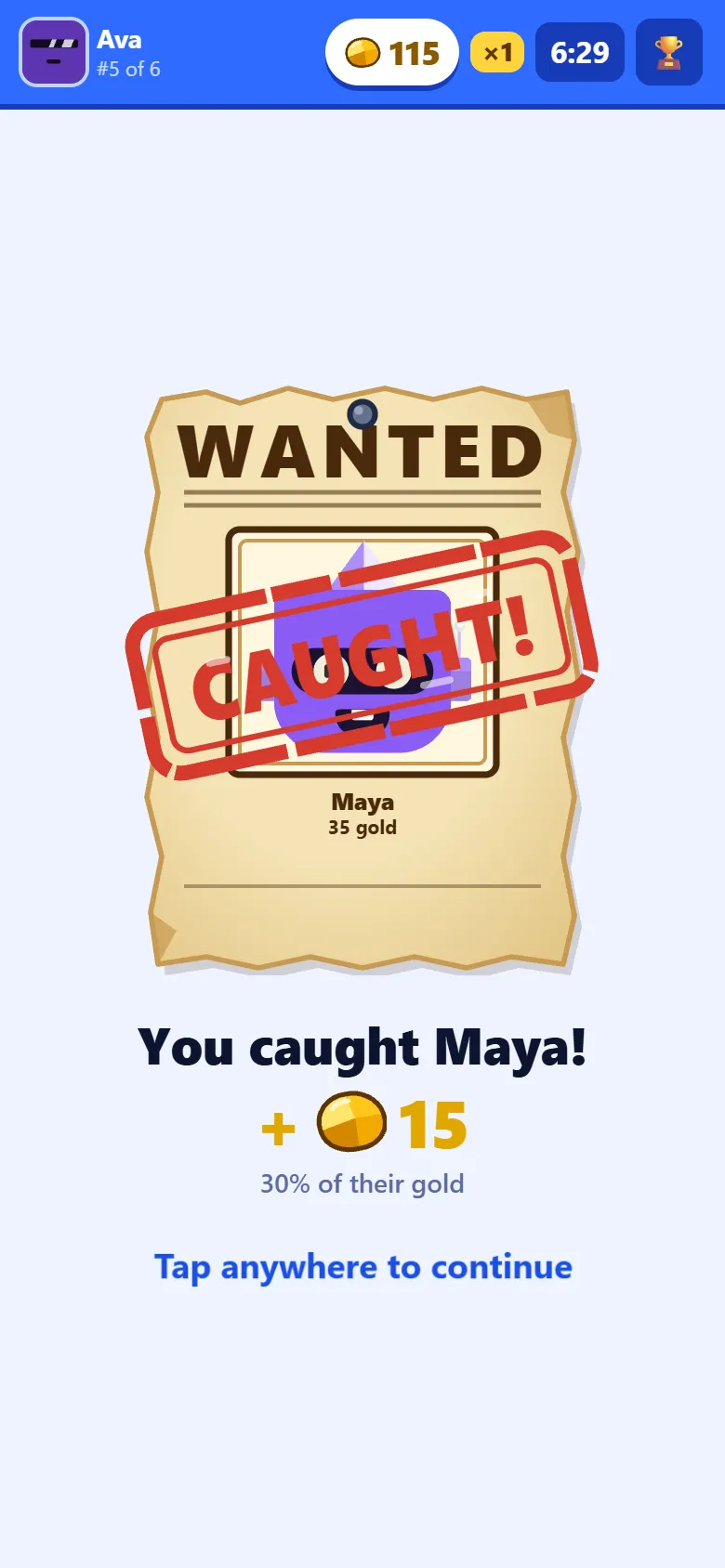
If the player picked was wanted, their poster is stamped CAUGHT! and 30% of their gold goes to the Sheriff. Being caught also clears them: once the stamp lands they are no longer wanted, so a Sheriff who picks them after that finds them innocent.
Step 13: Innocent
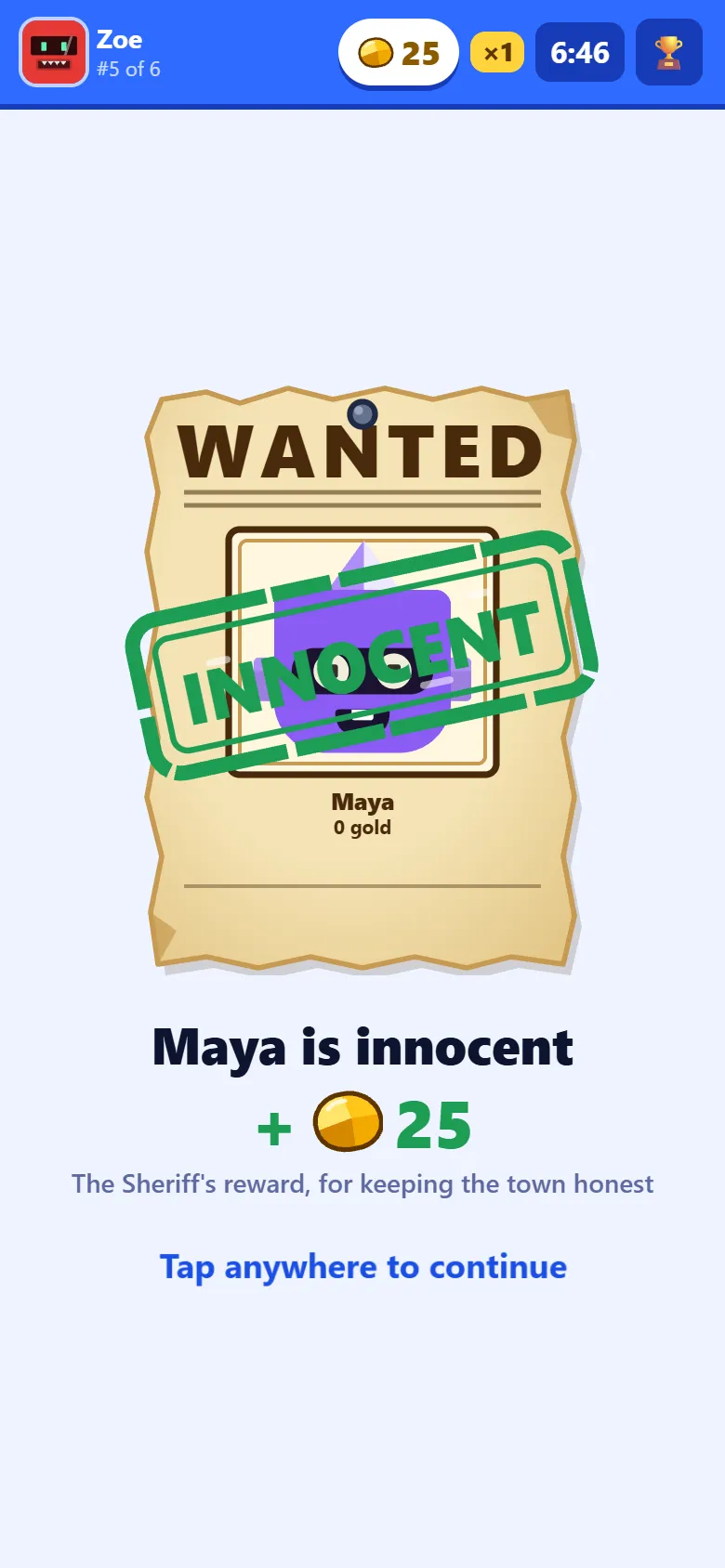
If the player picked had not peeked, or their 20 seconds were over, the poster is stamped INNOCENT. The Sheriff is not left with nothing: they get the Sheriff’s reward of 25 gold, times their own multiplier, for keeping the town honest.
Step 14: When the Sheriff checks you
The player who was checked sees a strip under the bar on their phone: Noah caught you!, with the gold they lost, or Omar checked you: innocent!. It does not stop the game: they carry on, and it goes after a few seconds. Every check also goes up on the room screen.
Step 15: The room screen during the game
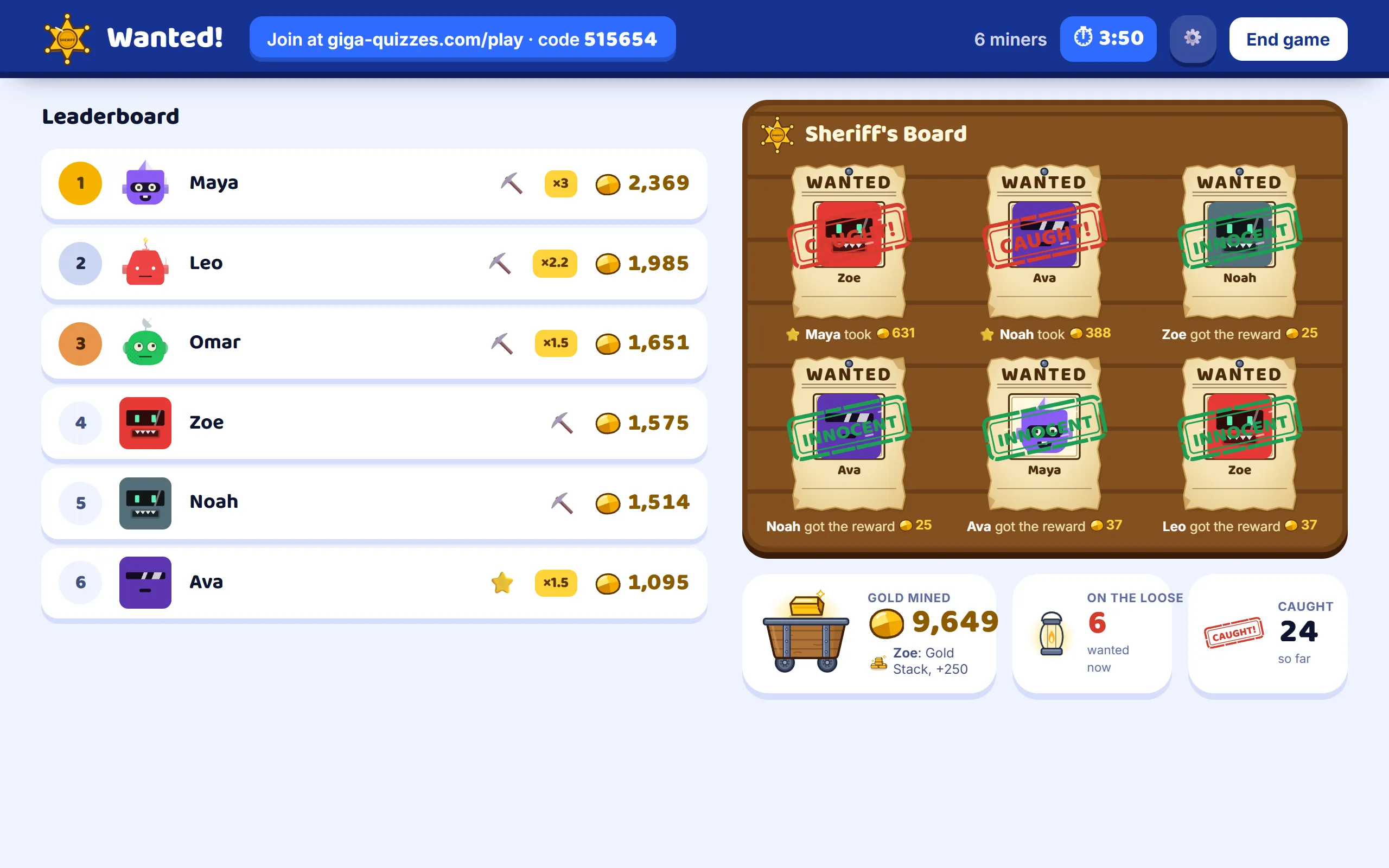
While the students play, the screen at the front shows the top ten miners with their gold and multipliers, and an icon for what each one is doing, such as mining or calling the Sheriff; it never shows the lantern. The Sheriff’s Board pins up a poster for every check, stamped CAUGHT! or INNOCENT once it is settled. Under it are the gold the room has mined, with the latest big find, how many miners are wanted right now, counted every few seconds and without names, and how many have been caught. The clock or the target is at the top, beside the join address. To stop early, press End game and confirm.
Step 16: Game over
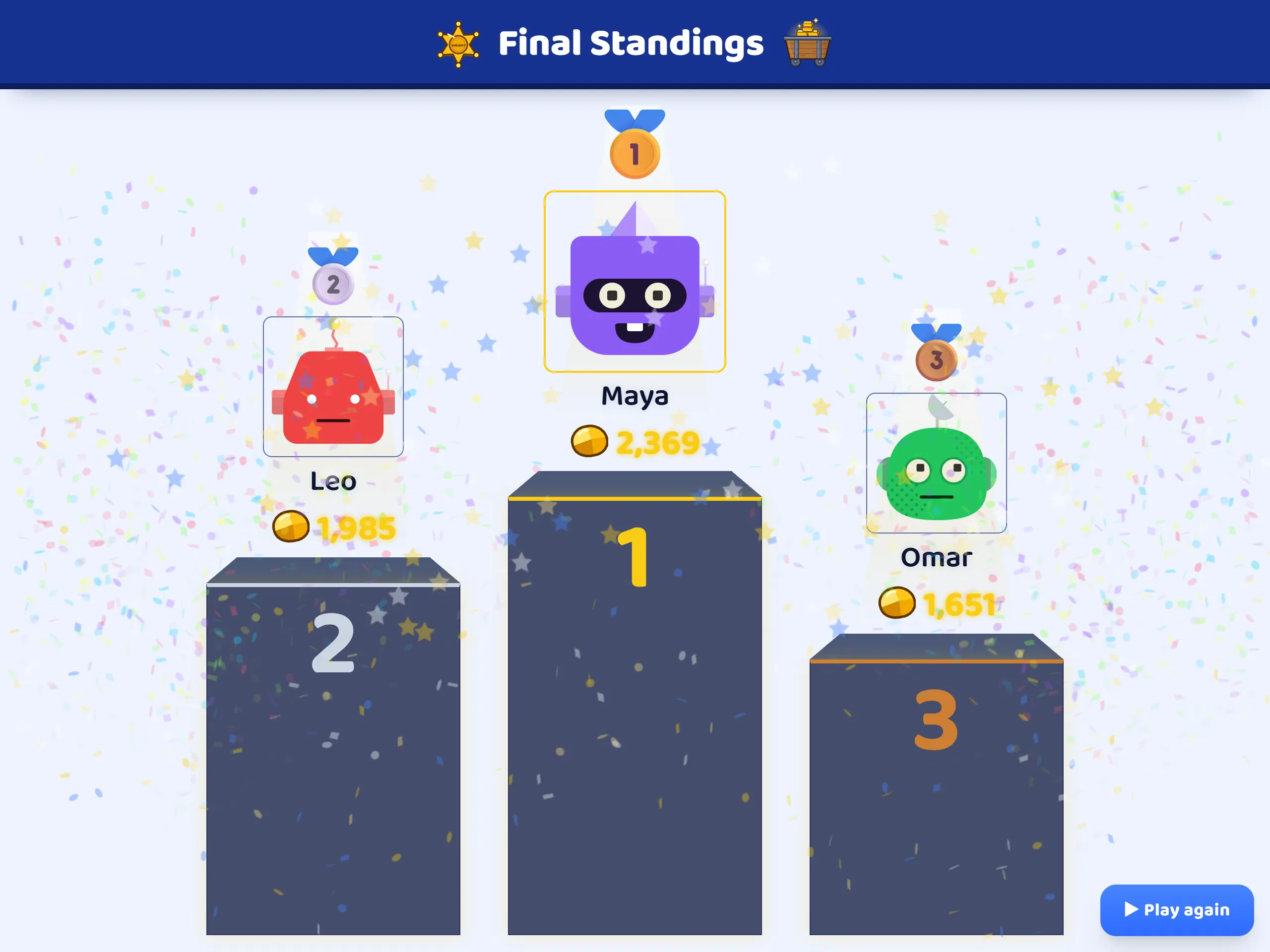
When the clock runs out, someone reaches the target, or you end the game, the room screen shows the Final Standings: third, then second, then the winner, with their gold. A check still running at the end is not settled, so no gold moves after the clock stops.
Step 17: Each miner’s result
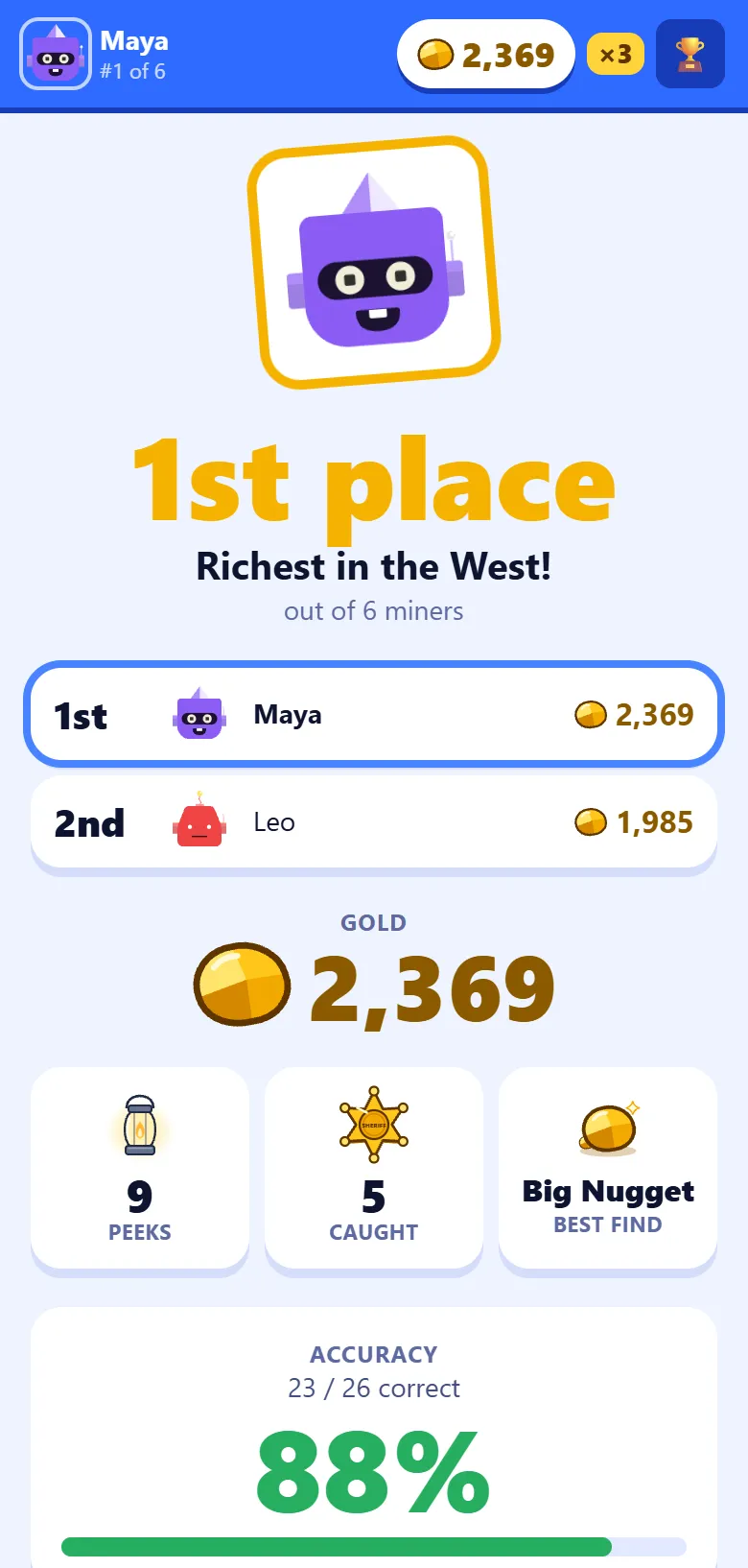
Each phone points the player to the big screen while the podium plays, then shows their own place among the players around them, the gold they finished with, how many times they peeked and how many outlaws they caught, their best find, and how many questions they got right.
Step 18: Read the results, and the three awards
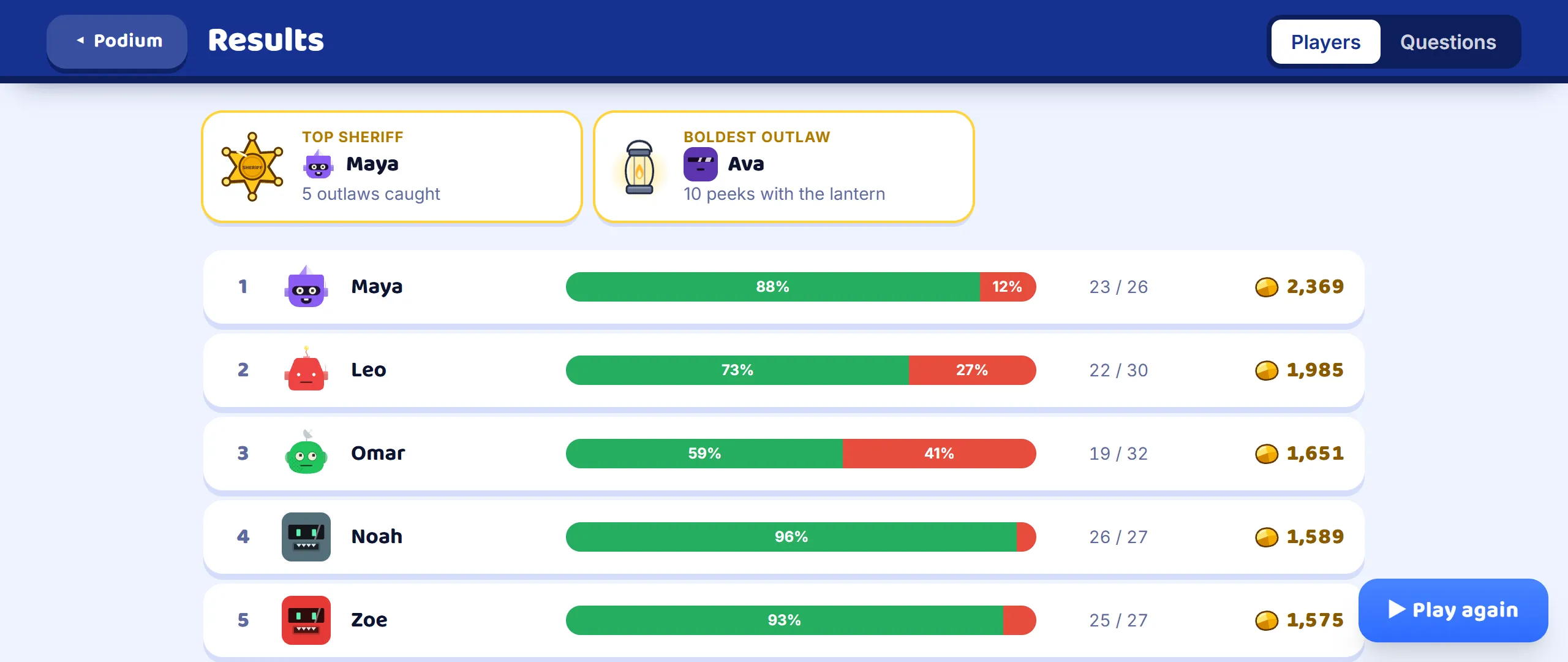
Press See results under the podium. Across the top are three awards: Top Sheriff for the most outlaws caught, Boldest Outlaw for the most peeks with the lantern, and Honest Miner for the most gold without a single peek. Under them, every player with a bar of right and wrong answers and their gold; the Questions tab shows how often each question was answered right across the room.
Step 19: The report afterwards
If you are signed in, the game is saved in Reports when it ends. Each student’s row shows the share of their answers that were right, with their gold beside it, and By accuracy puts the list in that order, since gold also depends on the carts and the Sheriff. Pick a student to see every question: the first answer they gave, and, when it came round again, how many times they answered it and how many of those were right.

Good to know
- Any set works, and every question type in it is asked the same way as in a Classic game. The questions come round again, so a short set of ten to fifteen plays well.
- The join address and the code stay at the top of the room screen for the whole game, so a student who arrives late can still join. They start with no gold.
- Wanted! has no teams: every miner plays for themselves.
- The lantern is the student’s own choice, and the room screen never shows who used it. It only counts how many miners are wanted at the moment, so the Sheriffs have to guess.
- Every cart holds something: gold, from a pinch of dust to a diamond, or a tool that multiplies all the gold found after it. Multipliers stop at ×10, so a long game stays within reach.
- Only a right answer opens a cart or calls the Sheriff, so the students who know the most get the most turns.