Sharing Quizzes with Colleagues
Teachers in the same department write the same quizzes over and over. How to split the work, agree a few standards, share by email or link, choose who can edit, and print an answer key.
 By the Giga Quizzes team4 min read
In this post
In most schools several teachers teach the same course, and each of them writes their own quiz on the same topic, often in the same week. That is a lot of duplicated evenings. A good quiz is worth sharing, and sharing works both ways: give yours to a colleague, and next time they write one, it comes back to you. Here is how to organise it so a department actually saves time, and how the sharing itself works.
Split the course, not just the files
The biggest saving comes from dividing the writing, not from swapping quizzes now and then. If three teachers teach the same year group, each writes the quizzes for a third of the units and shares them with the other two.
| Unit | Writes the quizzes | Checks them |
|---|---|---|
| 1. Cells and organisation | Teacher A | Teacher B |
| 2. Forces and motion | Teacher B | Teacher C |
| 3. Particles and matter | Teacher C | Teacher A |
| 4. Energy | Teacher A | Teacher C |
| 5. Ecosystems | Teacher B | Teacher A |
| 6. Electricity | Teacher C | Teacher B |
The checking column matters. A second pair of eyes catches the ambiguous question, the wrong answer that is arguably right and the timer that is too short, before thirty students find them for you.
Agree a few things first
Shared quizzes are only useful if they fit everyone’s lessons. Ten minutes at a department meeting saves a term of small annoyances.
A one-page department agreement
- Length: about ten to fifteen questions for a unit quiz, three to five for an exit quiz.
- Explanations: a sentence under every question, so any teacher can use the reveal without preparing.
- Wrong answers: taken from real student mistakes, never joke answers.
- Names: one pattern, such as “Year 8 Science: 2. Forces”, so every library stays searchable.
- Facts: nothing that will go out of date, so quizzes can be reused next year.
Sending a quiz
Every set in your Giga Quizzes library has a three-dot menu; choose Send to someone there and the Share & export page opens in the set’s settings. First decide what the colleague may do with it.
| Choose | They get | Best for |
|---|---|---|
| Can edit | A copy of their own to change however they like; your version never changes | Colleagues who adapt quizzes to their own classes |
| Play only | A quiz they can host, but not change or pass on | A common assessment that must stay the same, or a substitute |
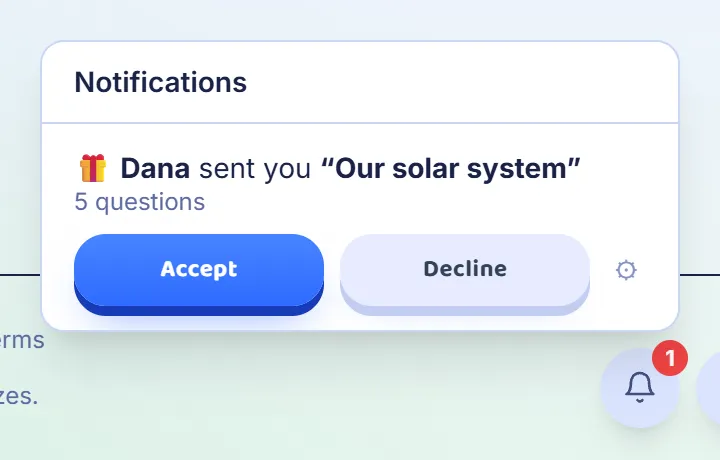
Then type their email address and press Send. The quiz waits under the bell in the corner of the screen once they sign in with that address, where they can accept or decline it.
Or one link for the whole department
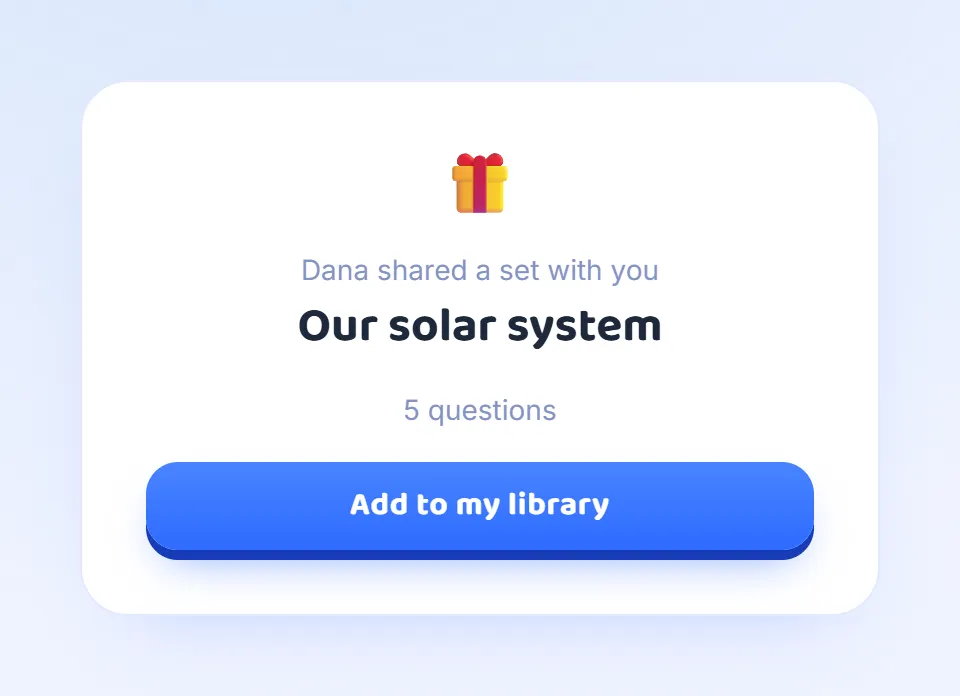
For a department chat or a staff email, a link is simpler. Create share link makes one, and whoever opens it sees who shared the quiz, its name and how many questions it has, with a button to add a copy to their own library after signing in. One link works for any number of people.
Every link you make is listed on the same page, and the ✕ beside one switches it off, which is useful if a link ends up somewhere you did not intend.
Copies, not live documents
A shared quiz arrives as a copy, marked as received from you. If you improve the quiz later, the copies already given do not change, and a link keeps handing out the version it was made from. To pass on a better version, make a new link and switch the old one off.
This is a feature rather than a limitation. A colleague can change the wording for their class without touching yours, and nobody wakes up to find that a quiz they planned around has changed overnight. If the department wants one master copy, agree who keeps it, and share from that one.
Anyone who would rather not receive quizzes can switch that off in their account settings.
Print an answer key alongside
Not every colleague wants a live game, and not every lesson has devices. On the same page, Export to PDF turns any quiz into a printable worksheet, with every question and its answers and a line to write on where the answer is typed. Tick Show correct answers first and it prints as an answer key, with the right answers marked and the explanations included.
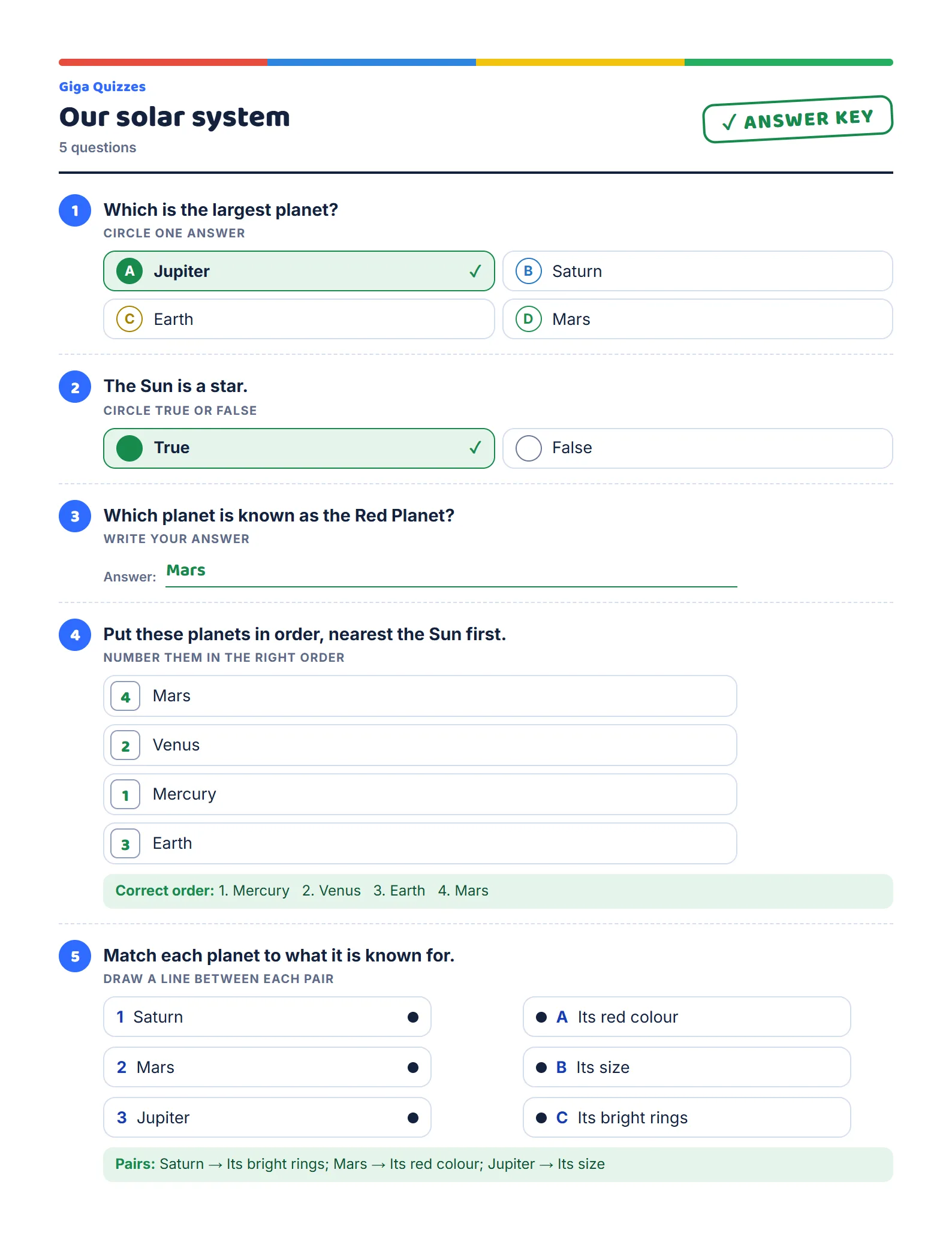
Sending the key with a shared quiz is a kind touch: a colleague can check it in two minutes before deciding to use it.
Try it in Giga Quizzes
Free, in the browser, and nothing for your students to install. These guides show each step on the real screens.
New to Giga Quizzes?
Free live quizzes in the browser. Students join from any phone, with no app.
Make your first quiz →