Keeping a Lecture Hall Awake
In a hall of two hundred, it is easy to listen to nothing. How lecturers use concept questions and polls on students’ phones to keep a big room thinking.
 By the Giga Quizzes team4 min read
In this post
A lecture hall is a hard room to teach in. Two hundred students, rows stretching to the back wall, and a speaker who cannot see who is following and who drifted off twenty minutes ago. Hardly anyone asks a question in front of that many people, so the lecturer often finds out what landed only when the exam scripts come in. A few live questions on students’ own phones change that. They take minutes, they wake the room up, and they tell you what the whole hall understood while you can still do something about it.
The case for interrupting yourself
Breaking up a lecture with questions is not just a way to keep people awake. In the largest review of the question so far, Scott Freeman and colleagues combined 225 studies of undergraduate science, engineering and maths courses. Students in classes with active learning did better in exams than students taught by traditional lecturing, and students in the lecture-only classes were about one and a half times as likely to fail.
Active learning covers many techniques, but the simplest is the one that fits a big hall best: stop every so often, ask everyone a question, and act on the answers.
Two hundred people in, in two minutes
In a big room, joining has to be instant or the activity dies before it starts. Students need nothing installed and no account. They go to giga-quizzes.com/play and type the six-digit room code, or point their phone camera at the QR code on the projector; one game takes up to 500 players. For a weekly course, put a join link in the course page before the lecture: clicking the big room code in the lobby copies a link with the code already in it.
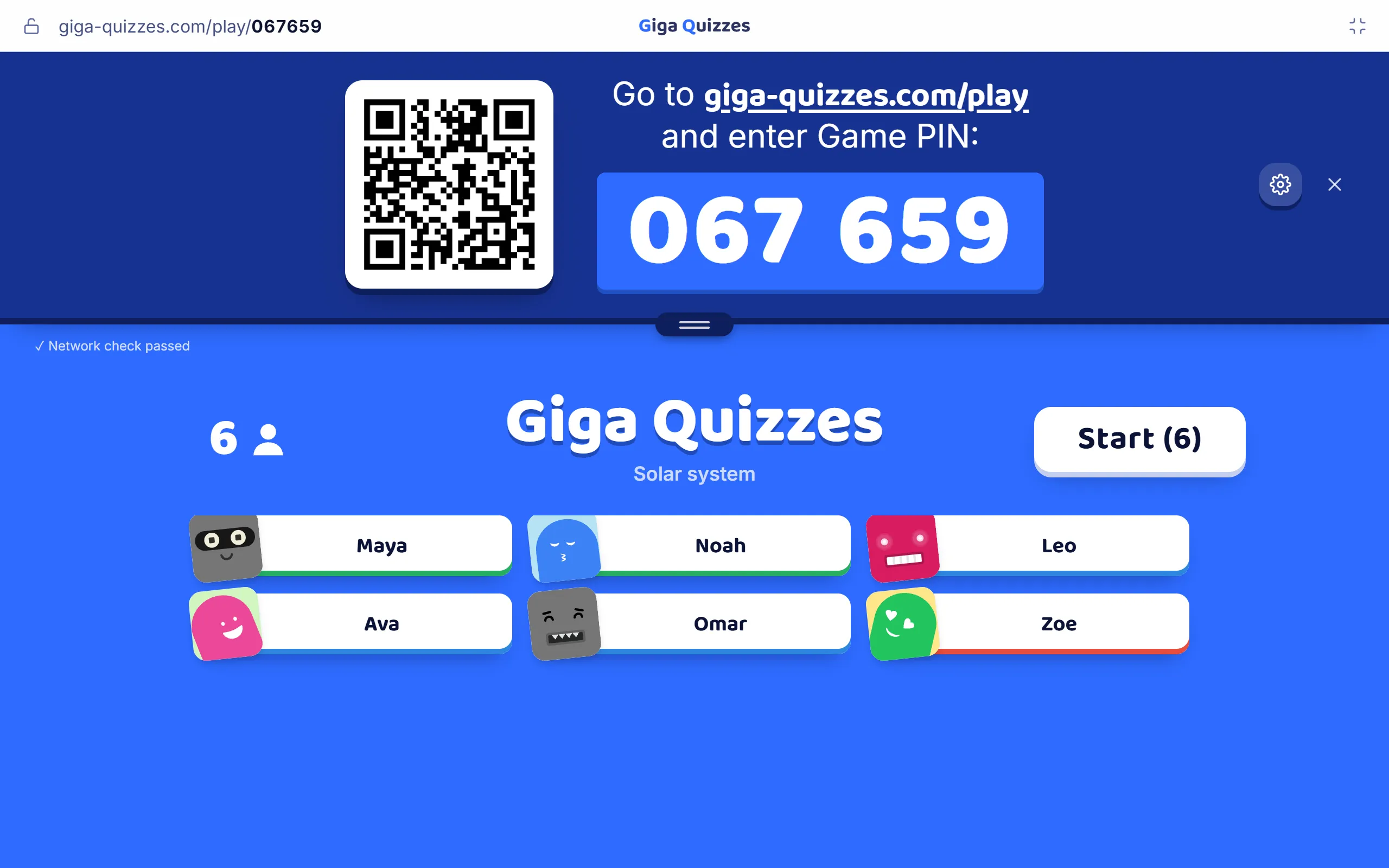
Leave the QR code up for a minute or two while people settle. Once everyone is in, the padlock in the top bar stops anyone else joining, so a code shared on social media cannot bring in people from outside the hall; press it again for a latecomer.
Ask concept questions, not recall questions
The best lecture question makes students apply an idea, not repeat a definition. If the answer could be copied from the slide that was just shown, it tells you nothing.
| Subject | A recall question | A concept question |
|---|---|---|
| Economics | Define price elasticity of demand. | The price of salt doubles. What happens to how much salt people buy? |
| Physics | State Newton’s third law. | A truck hits a fly. Which feels the bigger force? |
| Biology | What is natural selection? | Antibiotics are used on a farm for years. What happens to the bacteria there? |
| Statistics | What is a p-value? | A study finds p = 0.04. Which of these statements is true? |
Build the wrong answers from the mistakes students actually make. The chart at the reveal then shows you not just how many understood, but what the rest believe instead.
A worked example
After ten minutes on elasticity, an economics lecturer asks: the price of salt doubles; what happens to how much salt people buy? It falls a little, it halves, it stays exactly the same, or it rises.
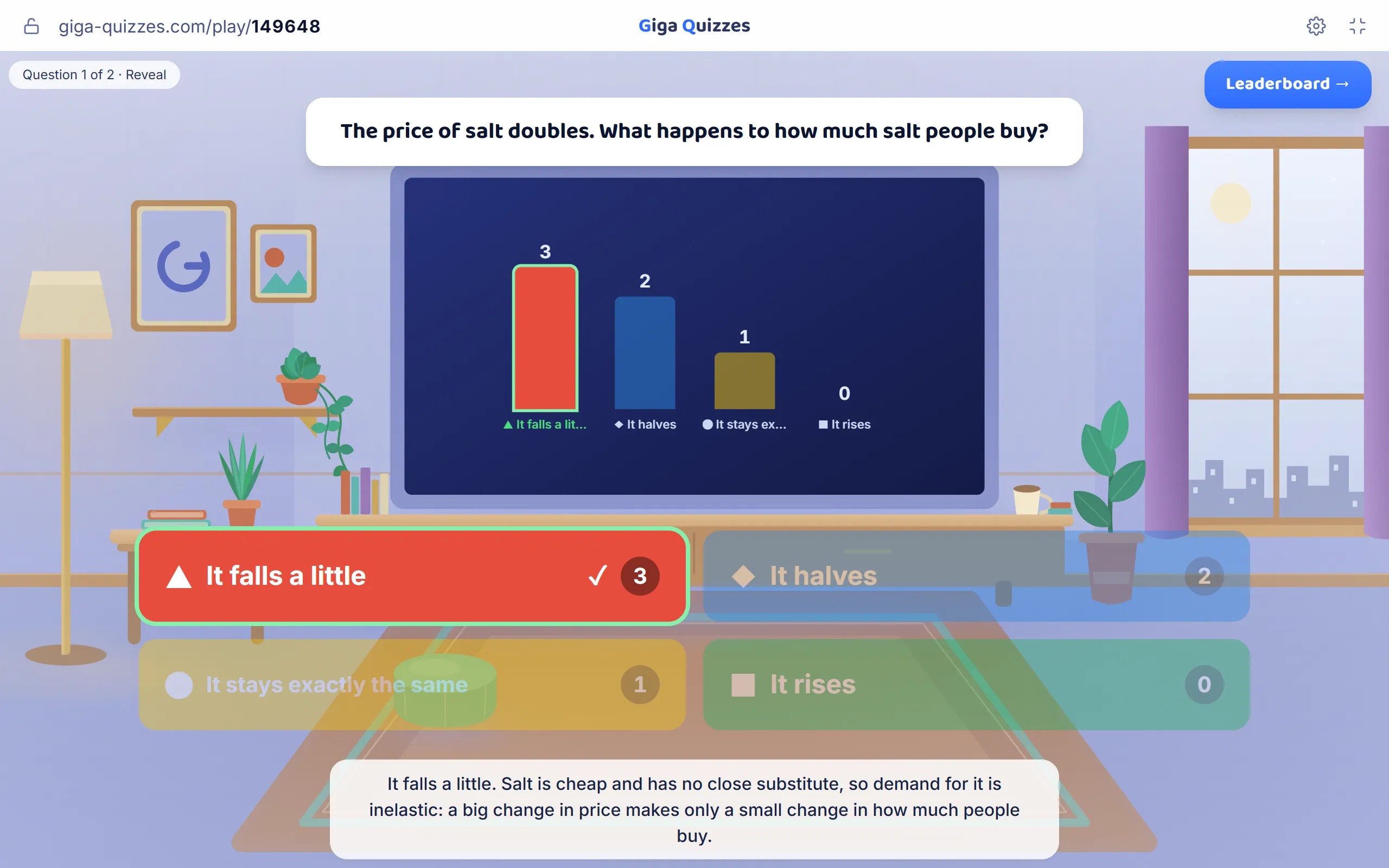
The right answer is that it falls a little. Salt is cheap and has no close substitute, so demand for it is inelastic. A third of the room chose “it halves”, which tells the lecturer something precise: those students are treating every good as if its demand moves one-for-one with price. That is a two-minute fix now, and an exam answer saved later.
Ask, discuss, ask again
When a concept question splits the room, the most effective next step is often not to explain it yourself. Eric Mazur’s peer instruction, refined over ten years of physics teaching at Harvard and described by Catherine Crouch and Mazur, works like this:
- Everyone answers alone, without discussion.
- If the answers are split, do not reveal the right one.
- Students turn to a neighbour, ideally one who answered differently, and try to convince each other for two minutes.
- Everyone answers the same question again.
The second vote is almost always better than the first, and the hall fills with students explaining ideas to each other. Many lecturers use a rough rule for when to do this: if nearly everyone is right, confirm and move on; if hardly anyone is, reteach; anywhere in between is where discussion pays off most.
Polls to check the room
Not every question needs a right answer. A quick poll after a hard section tells you how the room feels without anyone raising a hand in front of two hundred people.
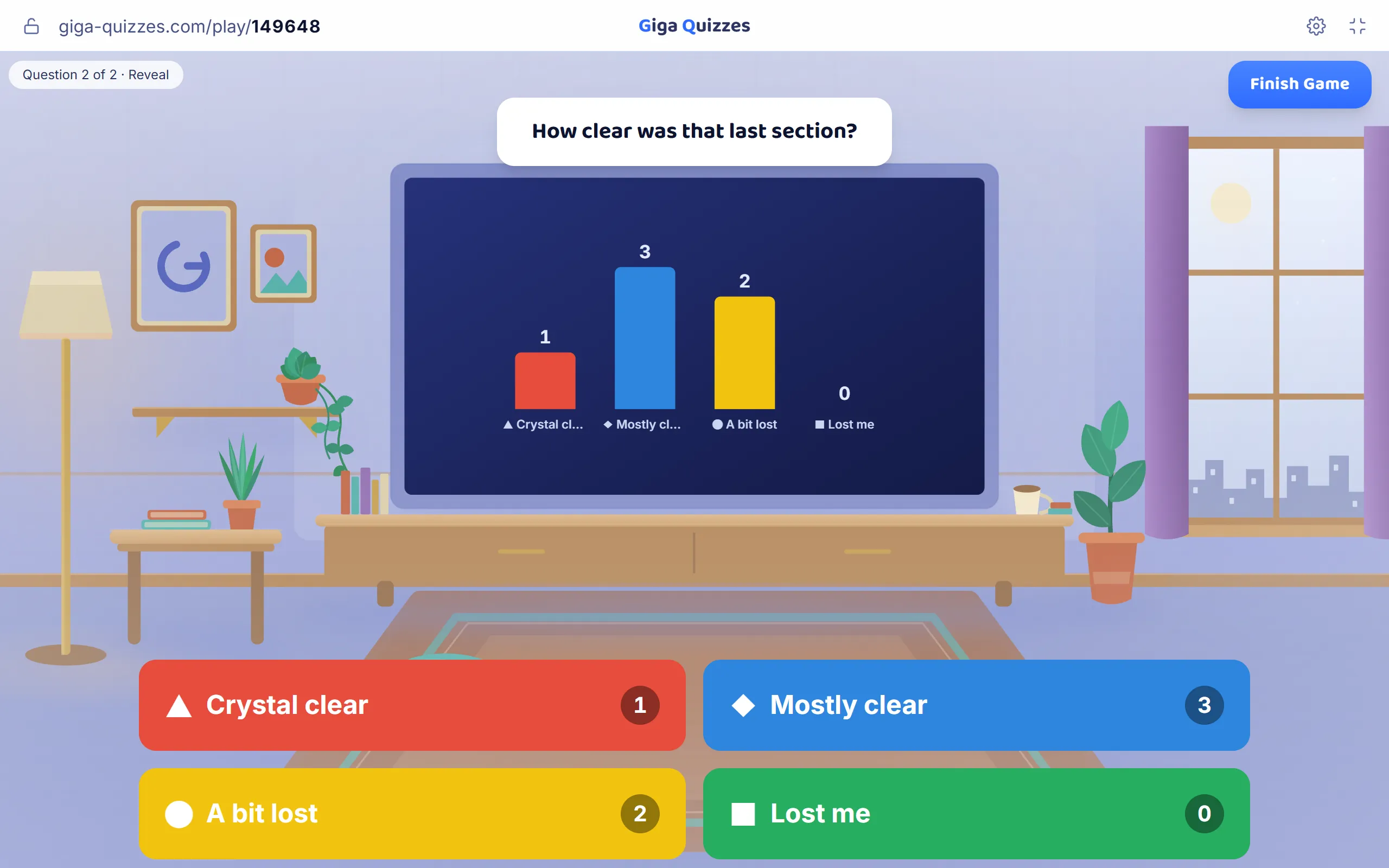
- “How clear was that last section?” From crystal clear to lost me.
- “Which of today’s topics should I go over again next week?”
- “What is still confusing? One word.” Typed answers become a word cloud.
Only totals reach the screen, so students are honest in a way they never are with a show of hands.
Settings for a big room
A few switches in Game settings matter more in a hall than in a classroom. Leave Phones show colors only off, so every student reads the question on their own phone; from the back row, the projector is hard to read. Switch on Reveal answers after 3s, so everyone reads the question before anyone can answer. Keep Filter nicknames on, which swaps a rude nickname for a neutral one before it reaches the screen. And switch off Auto-advance screens, so one set with a question or two per section can run alongside the whole lecture, waiting for you between sections.
After the lecture, the report shows how the hall answered every question, which tells you where to start next week. For a revision session before an exam, a self-paced format such as Hacker mode suits a big room surprisingly well: everyone answers at their own speed, and nobody waits for anyone.
Sources
- Freeman, S., Eddy, S. L., McDonough, M., Smith, M. K., Okoroafor, N., Jordt, H. & Wenderoth, M. P. (2014). Active learning increases student performance in science, engineering, and mathematics. Proceedings of the National Academy of Sciences, 111(23), 8410–8415.
- Crouch, C. H. & Mazur, E. (2001). Peer Instruction: Ten years of experience and results. American Journal of Physics, 69(9), 970–977.
Try it in Giga Quizzes
Free, in the browser, and nothing for your students to install. These guides show each step on the real screens.
New to Giga Quizzes?
Free live quizzes in the browser. Students join from any phone, with no app.
Make your first quiz →